API Reference
Joint Native API Reference
Here is the place where everything fundamental about Joint Native is explained at. We mainly focus on explaining about what each class does and how we implemented that feature.
This documentation will be updated and reinforced through the future updates.
There are some parts that are not explained yet - you can check them out on the release notes or the source code directly for now. We will update this documentation as soon as possible.
Joint Native Might Receive Breaking Changes
Joint Native is still under frequent update, and can have a lot of changes on the contents in the future update.
So it is not wise to modify the plugin for your project on the original installation folder. You need to make the contents that work with Joint or Joint Native separated from Joint and Joint Native's content or source folder.
We want to say, you must let those plugin be itself, without getting touched!
Fragments
Detailed explanation for the fragments on the system.
In Joint 2.5.0, the design of the slates in the system has been reworked and some of the images of them show the old design yet. Though they will work the same.
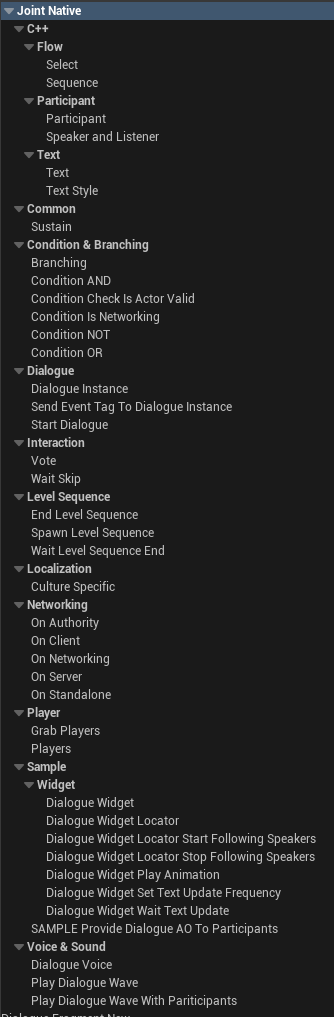
Flow
Select
An implementation of user-selectable branching option for the dialogue.

One select node means one option on the branching. It will have a pin that refers this select option's branching target.
When bIsSelected is true, it will return the following next nodes for this node on the SelectNextNodes().
This node itself doesn't have any actions by itself. You have to check out how the other nodes related to the select node use this node to see how they actually halt the dialogue playback and implement the selection actions.
Joint Native provides Vote fragment for that purpose. See that parts as well.
You can attach some sub nodes for the select nodes and parse it to display some additional data for the widgets or etc. See how the sample widget for the Joint utilize the DF_Text on the select node like.
Sequence
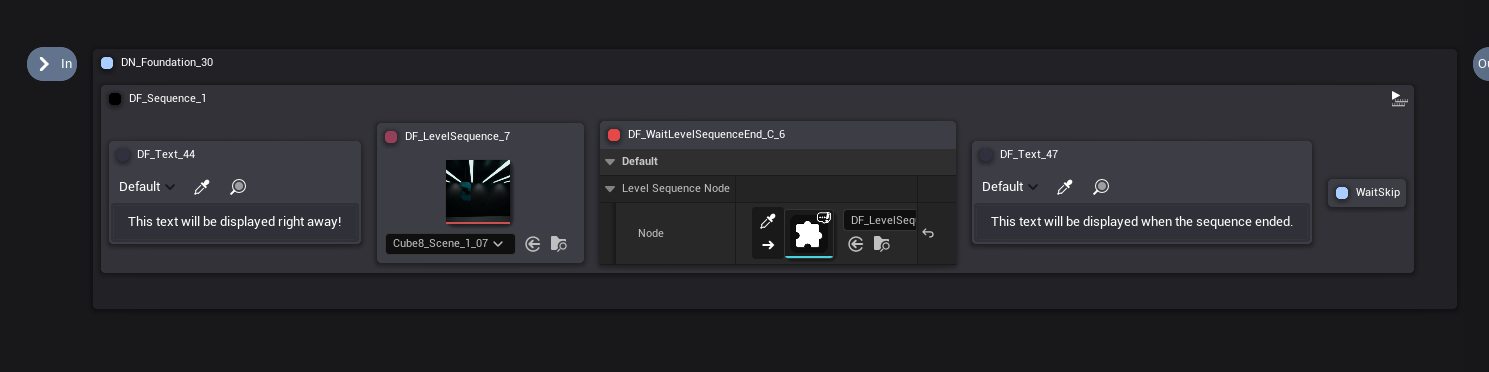
Sequence node is a node that you can play the node in sequence. (one by one)
Sub nodes attached to this node will be played after the prior sub node has been marked as pending.
Text Related
Text
Text fragment is a fragment that contains a text variable. It can be used on various situations.
Also, Text fragment has TextStyleInstance property that can receive a text style fragment on the graph.
You can get the text style table with GetTextStyleTableIfPresent. If there is no valid text style fragment specified or the fragment doesn't have a valid text style table, it will return nullptr.
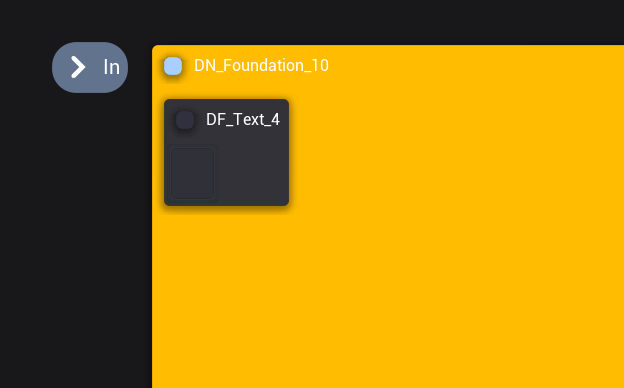
Text fragment's graph node, UDialogueEdFragment_Text provide a simple text editor by default.
If you specify the text style node this fragment will use, it will start to display an WYSIWYG editor that you can apply a styling on the text.
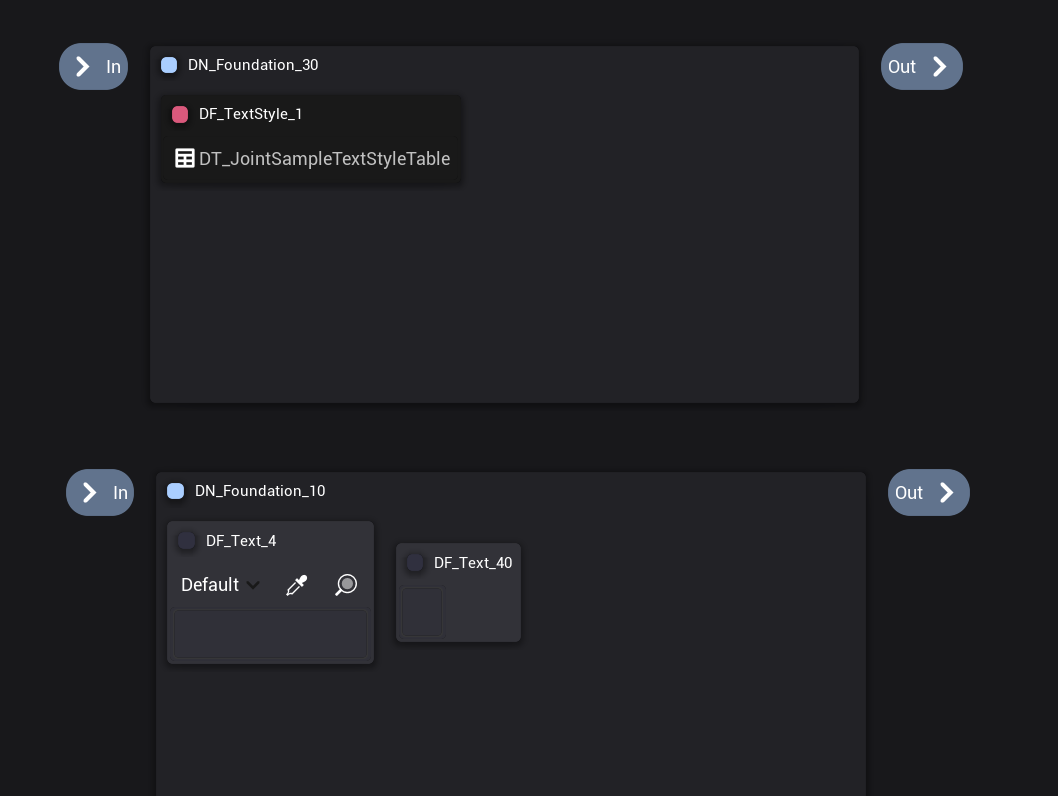
You can select the style you want to use from the dropdown menu, and press ctrl + shift + s (style) to apply the style on the selection.
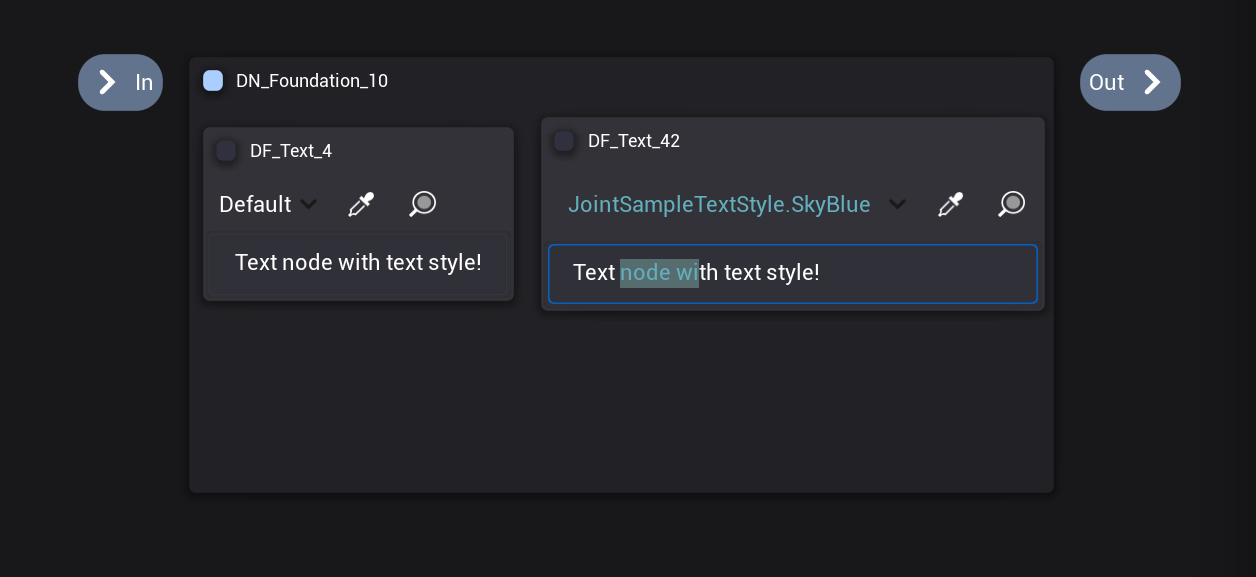
You can press the pipette button and click the text with styling to pick up that style to use on styling.
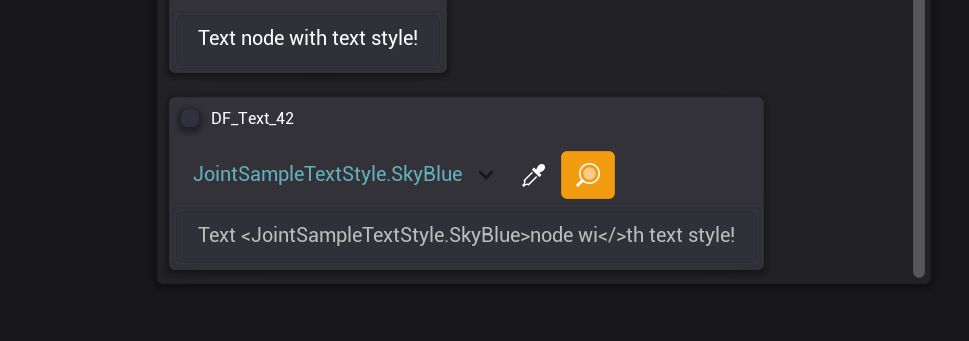
You can press the magnifying glass button to see and edit the raw text with the decoration for the styling.
Text Style
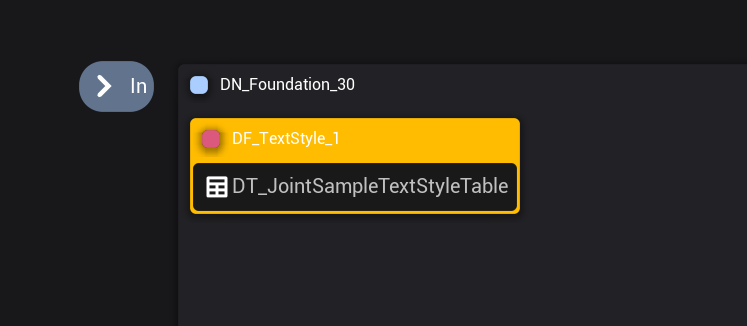
Text Style fragment is a fragment that contains a text style table. Basically every data table can be provided, but if it is used by a text fragment, the table's row struct type must be FRichTextStyleRow.
Dialogue Voice - Audio Dialogue
Dialogue Voice (Audio) related fragments.
Dialogue Voice system is Unreal's native audio based dialogue system. And well, it's not the best one, to be honest. But it has very certain, charming advantages:
- Unreal's localization system works very well with it.
- Easily accessible, and easy to use.
- It's maintained by Epic Games.
That's why we added fragments that work with Dialogue Voice & Wave system of Unreal. But if you want, you can implement your own fragments that work with custom audio dialogue system, but we quite recommend you to use native system as well.
We aren't very experienced with the dialogue wave & voice system's workflow, so those fragments remain quite rudimentary. (but those are been field tested, and good enough to be used in the actual product)
If you have any cool experiences or ideas about its design, or suggestions, please let us know, Let us improve those fragments further!
We are currently aiming to provide a feature that automatically store the played time of the sound cue, and allowing it to be resumed from there. It will be useful when the dialogue is being halted, maybe because characters get hurt.
Dialogue Voice
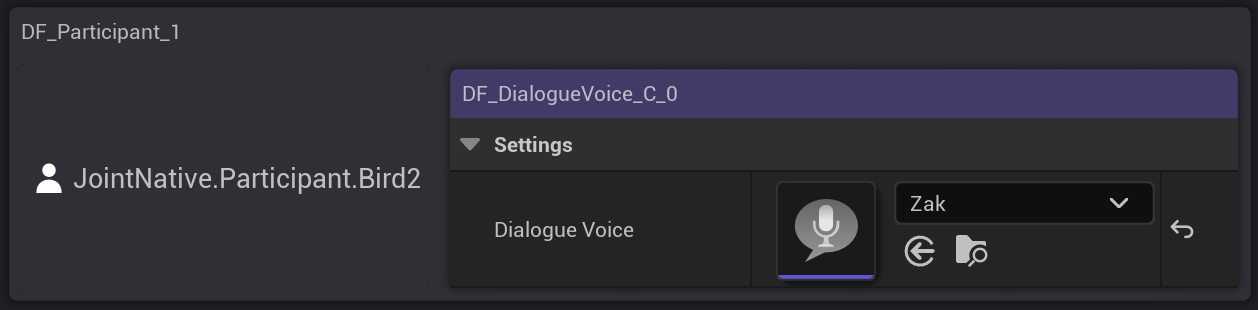
A data fragment that contains Dialogue Voice asset. It can be used with other fragments. Especially, this fragment will be used together with participant fragments.
Dialogue Play Dialogue Wave
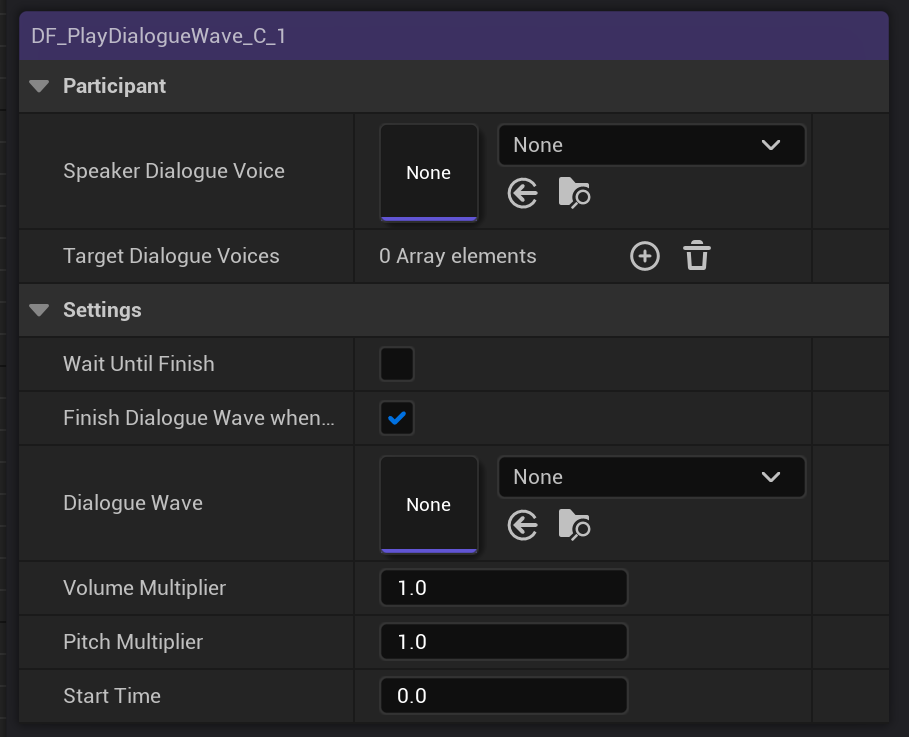
A fragment that plays specified dialogue wave with specified Speaker Dialogue Voice and Target Dialogue Voices.
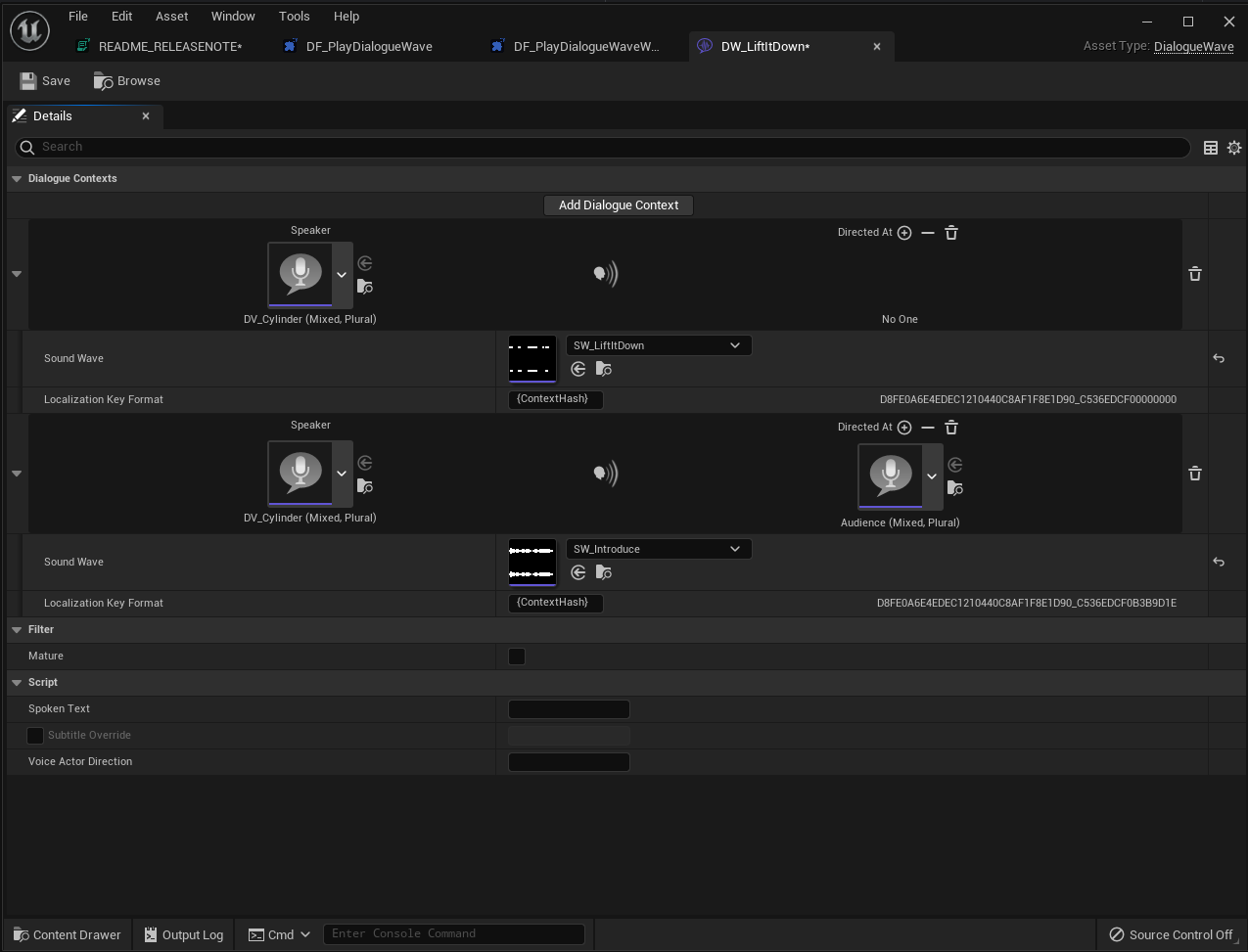
Specified Dialogue Voices will be used to find the dialogue context in the dialogue wave asset, and it will play the sound cue of that context.
You can also make it keep being active while the sound cue is being played, and also make the sound cue to be finish when this node is end played. (when player skip to the next node especially.)
Dialogue Play Dialogue Wave
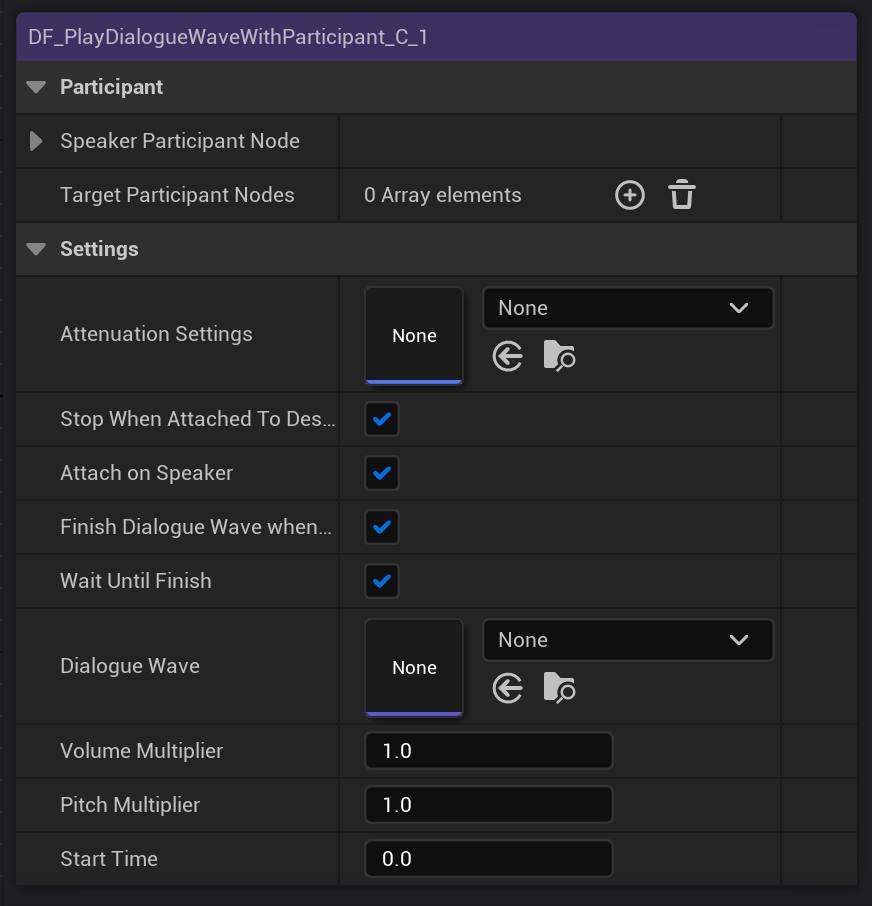
A fragment that plays specified dialogue wave with specified Speaker Dialogue Voice and Target Dialogue Voices.
You must provide participant fragments that has a Dialogue Voice fragment to this. You can check Attach on Speaker option to attach the spawned sound cue to the speaker participant.
You can make it stop the sound cue automatically when the character that the sound cue is attached at is destroyed on the level. This is useful to make it stop when characters dead.
Participant Related
Participant
A fragment that represent specific participant component on the graph. You can access the participant with this node.
This node can be used in various situation when you need to get the reference of the participant in the graph.


This node will automatically collect the participant that matches with the ParticipantTag property when bAllowCollectingParticipantComponentOnWorldAutomatically is true.
You can access the participant that this node refers with ParticipantComponentInstance or GetParticipantComponent. You can set this value to specify the component this node will use before that participant node begins played.
If you manually specified the participant before it begins, it will ignore the bAllowCollectingParticipantComponentOnWorldAutomatically and will not search the participant on the world.
To specify the participant, we recommend to make it as a manager fragment, and attach some tag to it to access it before we start off the dialogue, and provide the participant component to the ParticipantComponentInstance.
For most cases, it is recommended to be used as manager fragment and recycle it, due to the auto collect action's performance cost. It's not that big, but also not necessary to iterate through the participant components on the world everytime.
Speaker And Listener
A default implementation of the speakers and listeners in the dialogue node. Useful when we have to display which participants are involved in the conversation manually.
You can provide Participant fragments to the Speakers and Listeners property as you want.
You can get the speaker and listener participants with the GetAllSpeakers and GetAllListeners.
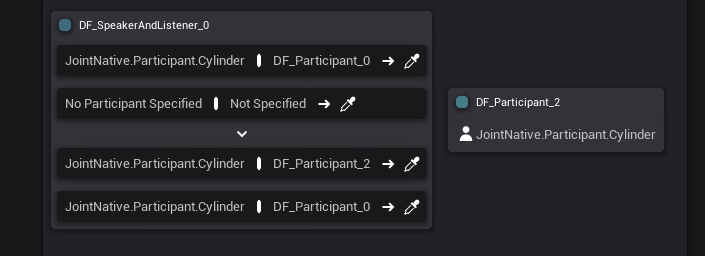
Condition & Branching
Branching
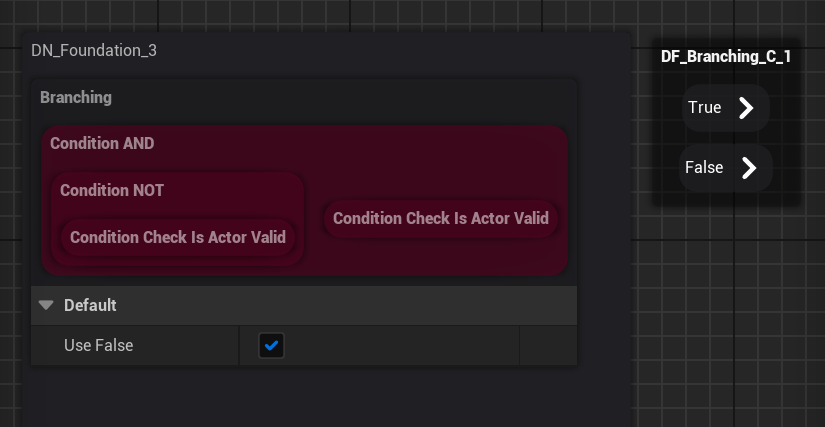
Branching fragment is the most fundamental node for the flow control of the graph.
You can control the flow of the dialogue by attaching condition nodes on this node.
If the attached condition nodes passes the condition check, branch node will play the nodes at the true pin. Otherwise, it will play the nodes at the false pin.
You can disable the false pin with bUseFalse variable. When the false pin is disabled, dialogue instance will continue to the next branching fragment if available. So you can create simple if-else branching with it.
It will not return any of the nodes if it was not played.
Condition Fragments

Condition fragments are the fragments that will be used to express conditional checks in the graph.
Currently, we support 2 usages for condition fragments:
- Branching Fragment Conditional Check: When the condition fragments pass the check, branching fragment will play the pins at true pin, otherwise, play node on the false pin.
- Conditional Fragments : You can make fragments be only played under certain conditions with them (See Condition AND for this usage)
You can use them on your custom system as well to express condition system as well. See how branching fragment does this.
Condition AND
AND condition for the dialogue. It will be marked failed if any of the condition fragments under itself is marked as failed on the check.
If Use Asynchronous Playback is unchecked, It will play all the subnodes simultaneously and decide whether it is failed or not when this node is marked as pending.
*If Use Asynchronous Playback is checked, It will play through the sub nodes one by one asynchronously just like the sequence node does, but it will break the iteration when any sub node changes the bConditionResult value to false.
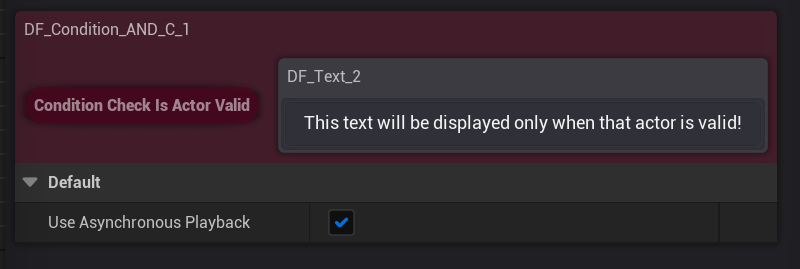
You can make fragments be only played under certain conditions with condition AND.
Just check Use Asynchronous Playback, and put the fragment at the tail of condition AND fragment's sub node list. Just like the image above!
Condition OR
OR condition for the dialogue. It will be marked failed if all the condition fragments under itself is marked as failed on the check.
If Use Asynchronous Playback is unchecked, It will play all the sub nodes simultaneously and decide whether it is failed or not when this node is marked as pending.
*If Use Asynchronous Playback is checked, It will play through the sub nodes one by one asynchronously just like the sequence node does. Not like condition AND, it will not break the iteration.
Condition NOT
NOT condition for the dialogue. It will be marked failed if any of the sub node condition fragments fails.
NOT + AND, so to speak.
Condition Is Actor Valid
A little condition fragment that will be marked as failed when specified actor on the level is not valid.
This one is close to a sample condition fragment, instead of some fundamental one.
Condition Is Networking
A little condition fragment that will be marked as failed when the current session is not a standalone session type.
Can be useful on making multiplayer games.
If you are looking for the conditional playback according to the networking session types, Also check out for the OnAuthority, OnServer, OnClient, OnNetworking, OnStandalone fragments. They must be better for the most of the productions.
Interaction
Interaction related fragments. Not just for the user interactions, but can be used to interact with internal, systematical interaction under the hood.
Wait Skip
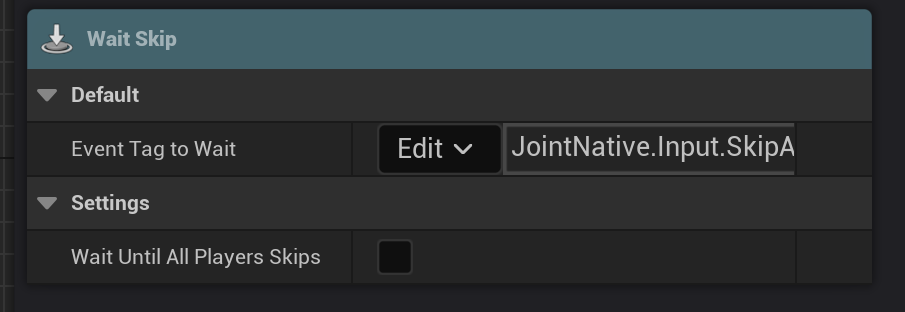
A fragment that waits until the dialogue instance to get a specified gameplay event tag.
This can be used to block the dialogue playback until the player requests stop.
This fragment supports networking as well.
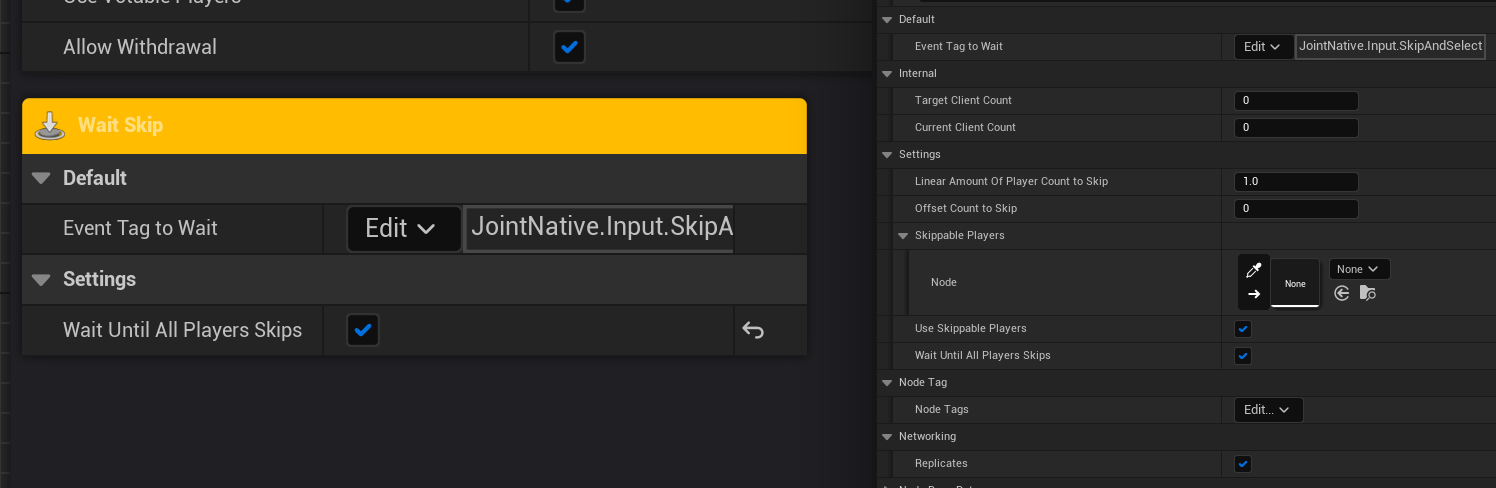
You can check Wait Until All Players Skips to make it halt the playback until all players agree to skip in a networking session.
Check Use Skippable Players to allow only some specific players to get involved in the skip action. And specify Players fragment on Skippable Players property as well.
You can use Linear Amount Of Player Count to Skip to make it require the request of only certain ratio of the total player count, or Offset Count to Skip to give absolute offset to it (this will be added to count, so if you want to reduce the count, you have to provide negative value to it.)
Make sure to check Replicates, to make it work properly in the networking sessions.
If Wait Until All Players Skips is unchecked, it will work just like in a standalone session.
Vote
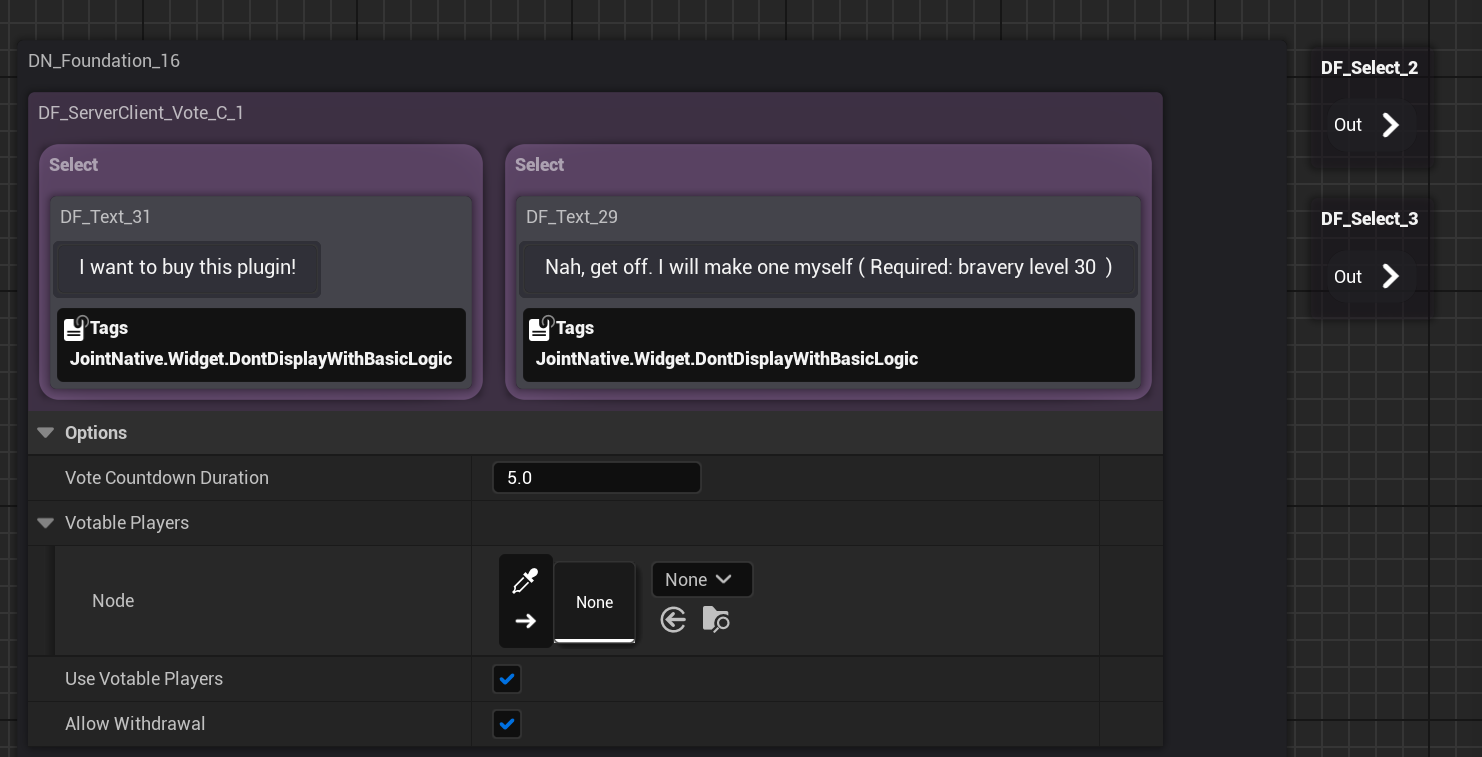
A fragment that will conduct user selectable vote for flow branching. Both works in singleplayer & multiplayer games.
Put Select fragment as its sub nodes to implement each option for the vote.
This fragment supports networking as well.
Check Use Votable Players to allow only some specific players to get involved in the vote. And specify Players fragment on Skippable Players property as well.
You can use Vote Countdown Duration to specify the duration of vote.
You can use Allow Withdrawal to allow users to change their vote after selecting one.
Make sure to check Replicates, to make it work properly in the networking sessions.
Networking
Networking relate fragments. Useful to make some production on the multiplayer games.
On Authority & On Client & On Networking & On Server & On Standalone

As their names tell, they will play their sub nodes under certain conditions.
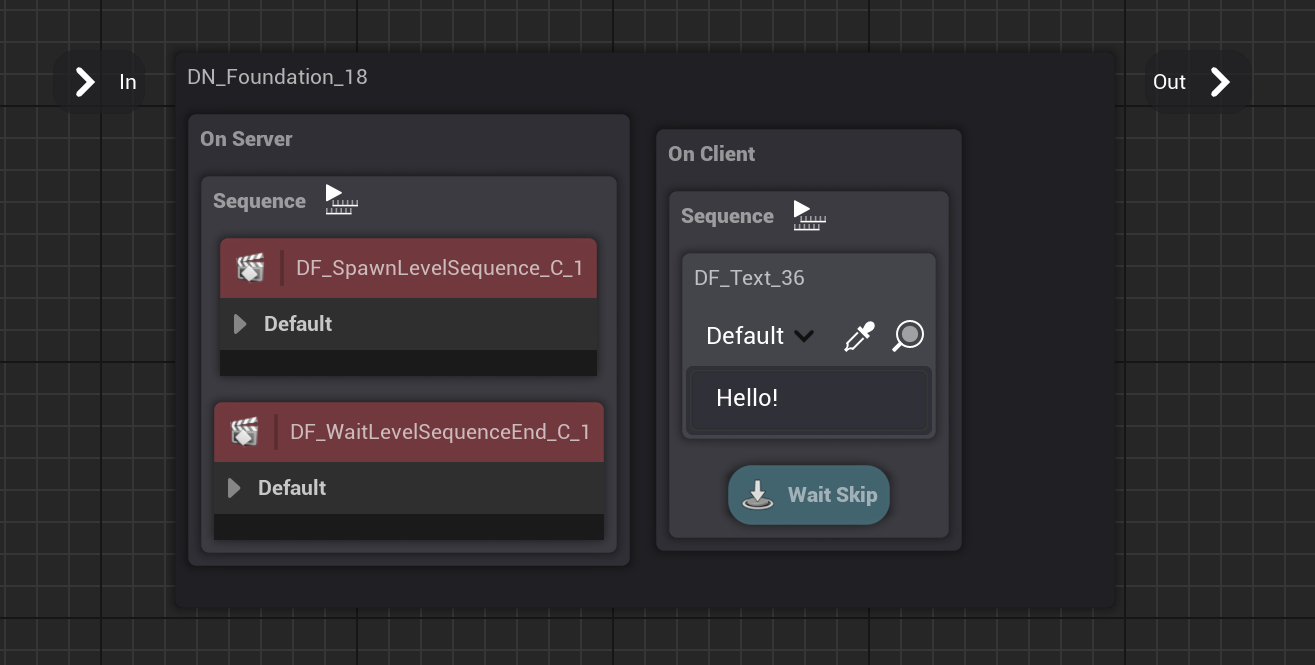
Just like the image above, you can use it to make certain sessions do certain things according to their type.
Well, it's still only preventing the playback, so clients can still access the node that will be played only in the server.
We're aware of the possible issues with this so, we're also planning to make a system that let you specify whether to include or exclude the fragments according to the build target.
Please wait for the future update!
Conditions for each fragment are as following:
- On Authority: when this session has the authority over the dialogue instance, play its sub node.
- On Client: when this session is a client (client, standalone), play its sub node.
- On Server: when this session is a server (dedicated, listen server, standalone), play its sub node.
- On Networking: when this session is not a standalone session, play its sub node.
- On Standalone: when this session is a standalone session, play its sub node.
Common
Fragments for common usages.
Sustain

Sustain fragment is a fragment that will be active for the specified duration after begun played.
This is useful to give some delay to your productions. It's good to use with Sequence, or place it on foundation nodes to provide minimum display time.
Dialogue
Fragments for dialogue manager's playback or sub dialogue related features.
Dialogue Instance

A Fragment that contains a dialogue instance. It's a pure data fragment, can be used with other fragments
Start Dialogue
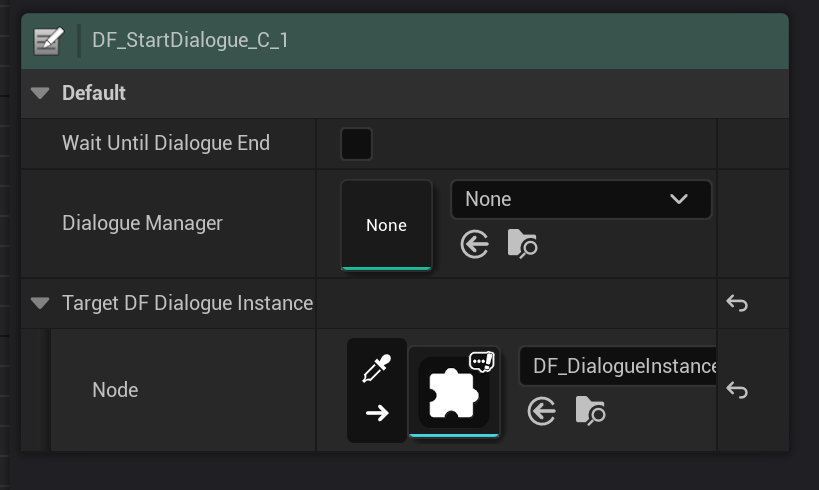
A Fragment that will play a new dialogue. This can be used to play sub dialogues or branch to other dialogues.
You can make it stay active until the dialogue ends.
You can provide Dialogue Instance fragment on there to grab the dialogue instance reference that is newly created. It's optional.
Send Event Tag To Dialogue Instance
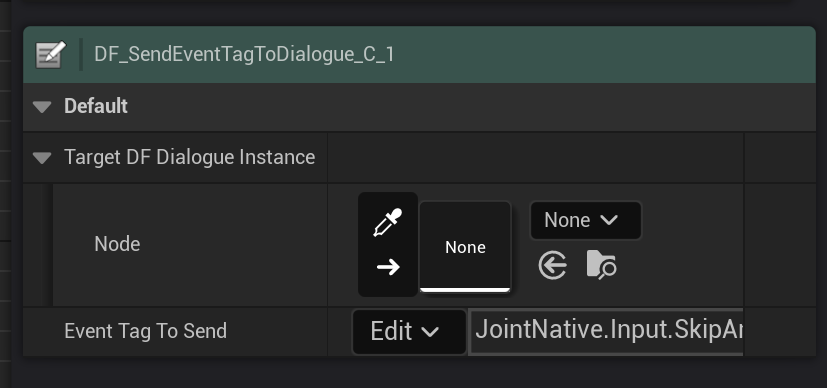
A Fragment that will send a gameplay event tag to the specified dialogue instance. This is useful to make it do additional actions with that, for example, you can make some fragments that take gameplay events and to actions, just like Wait Skip fragment.
Level Sequence
Level sequence playback related fragments.
Spawn Level Sequence
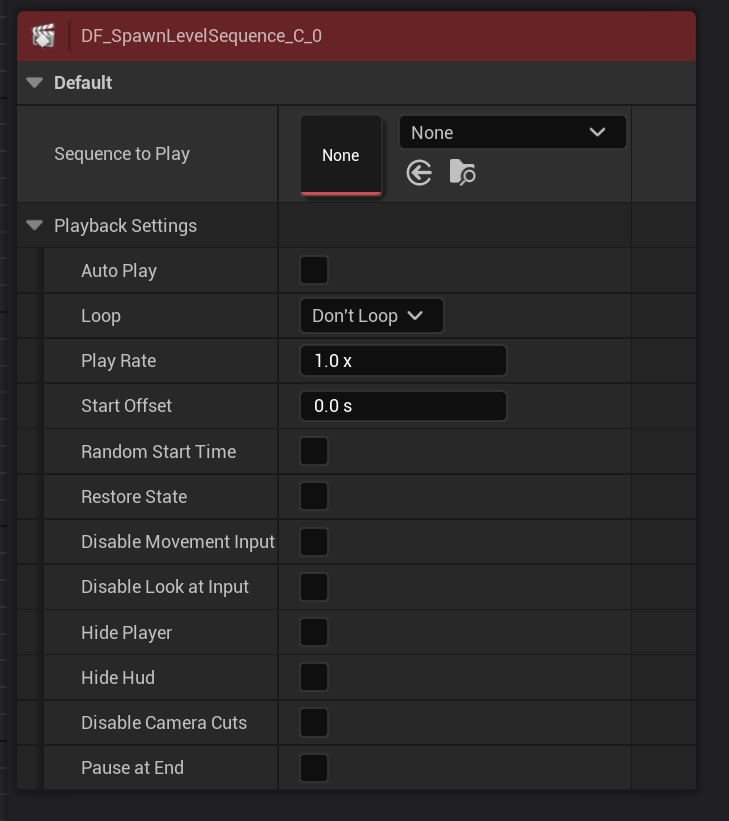
A fragment that spawns a level sequence with provided playback settings.
Check Auto play to make it play as soon as it get spawned.
This also has a data fragment functionality, can be used with other fragments as well.
Wait Level Sequence End
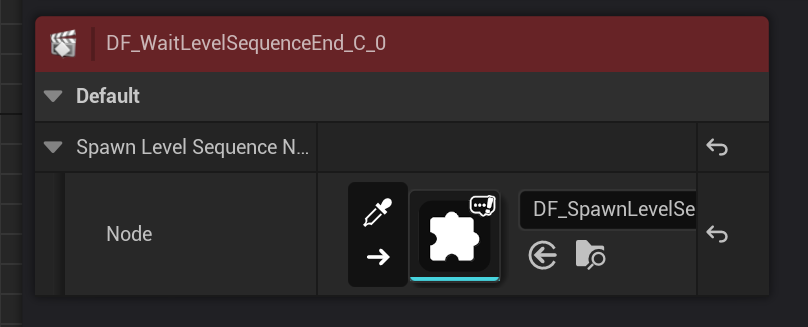
It will stay active until the provided level sequence fragment to end.
It takes Spawn Level Sequence fragment to work properly
If it could take the reference of the level sequence or level sequence was not present at the moment it begun played, it will end immediately.
Wait Level Sequence End
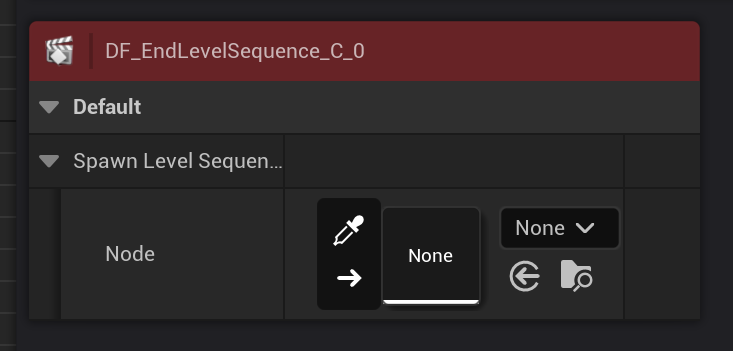
It will end the level sequencer in the provided Spawn Level Sequence fragment immediately when its played.
Localization
Localization related fragments.
Culture Specific
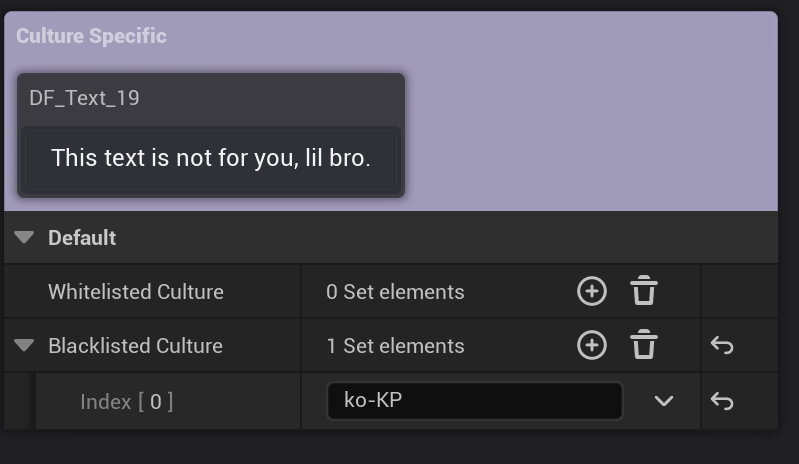
Culture Specific fragment is a fragment that will play its sub nodes according to culture settings and current culture of the client.
It uses IETF language tag for the identification. Please notice that.
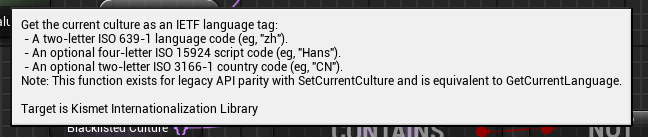
You can use Whitelisted Culture to make it played in only certain cultures, Whitelisted Culture will only work when it is not empty. Or use Blacklisted Culture to block certain cultures.
Player
Fragments related to the player controller of the sessions. Especially useful in the networking sessions.
Players
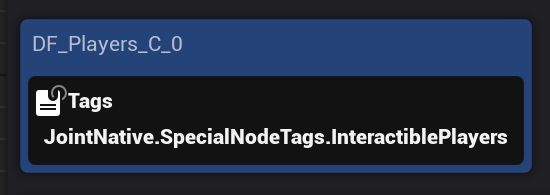
A fragment that contains player controllers. A pure data fragment that is designed to be used in multiple situations.
Grab Players
 !
!
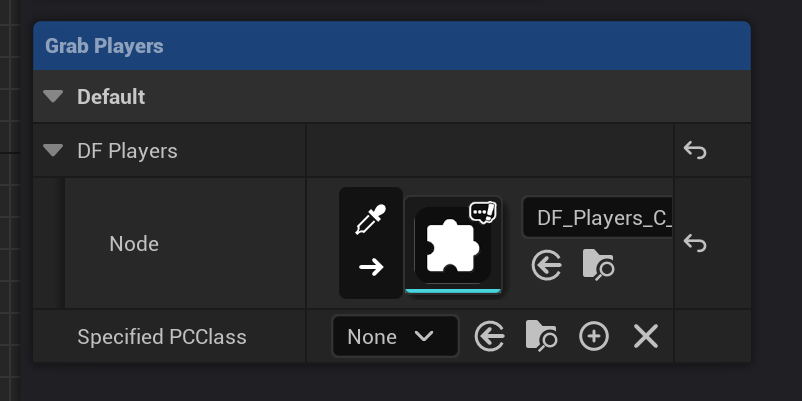
A fragment that grab player controllers and feed them to the specified Players fragment. You can also specify the specific PC class to query.
Sample - Widgets
Fragments that are related to the sample dialogue widget controls.
Dialogue Widget
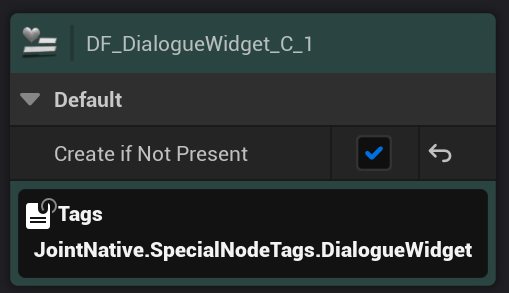
A data fragment that contains dialogue widget (WB_DialogueWidget BP class).
You can check Create if Not Present property to make it automatically create the widget and attach it on the screen.
It has ``JointNative.SpecialNodeTags.DialogueWidget``` tag by default for easier querying.
Dialogue Widget Locator
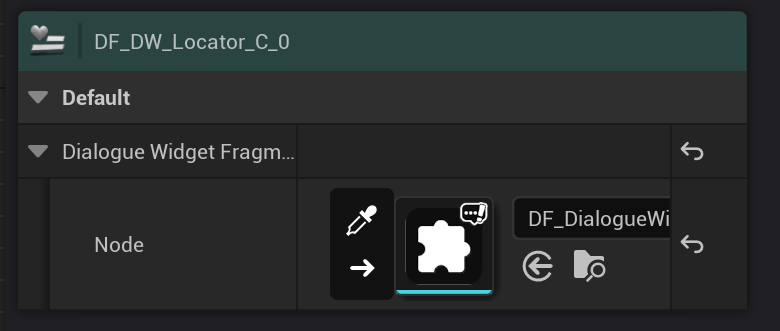
A fragment that calculate and apply render transform according to the settings to the specified dialogue widget.
You can use this fragment to make the widget fixed on the screen coordinate, or follow the characters while having margins from the screen edge, scale up & down and fade away by distance, hide when blocked by objects between specified render world position and camera, or apply lag on the location transition as you want.
We call the mode that
This one has a lot of settings; This one is a monster and one of the most complex fragments in the system.
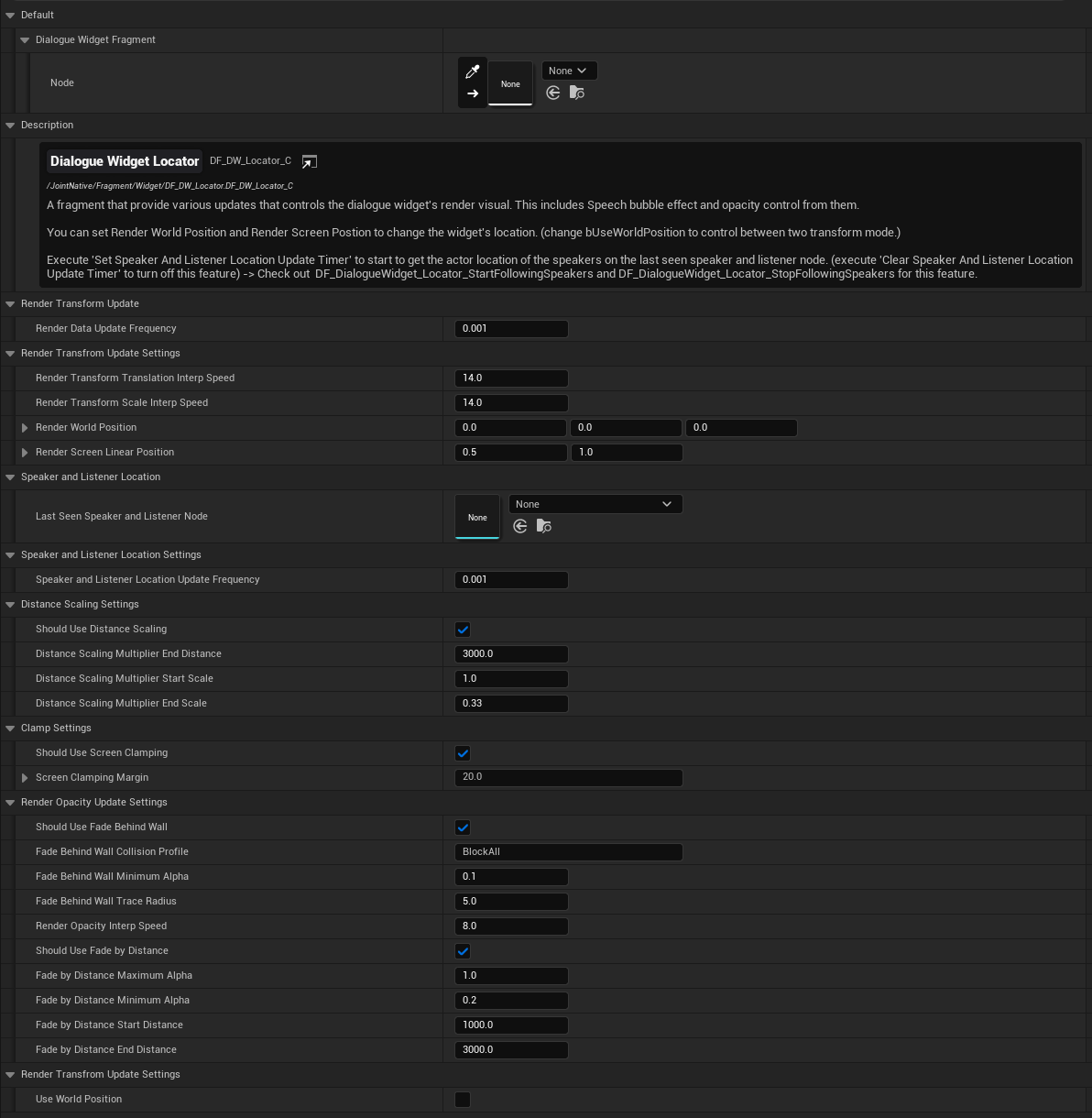
Here are explanations for each of the parameter:
Rendering Mode
| Property Name | Description |
|---|---|
| Use World Position | Whether to use Render World Position or Render Screen Linear Position on widget translation update. we call the mode the widget uses Render World Transform as World Space mode, and we call the mode the widget uses Render Screen Coordinate as Screen Space. |
Rendering Data
| Property Name | Description |
|---|---|
| Render World Position | The target world position vector it will use on the world space rendering. Other features that changes the location of the widget is done by changing this property. |
| Render Screen Linear Position | The target screen linear position of the widget it will use on the screen space rendering. Other features that changes the location of the widget is done by changing this property. Notice that the value of this will be applied to: Left Top Corner (0,0) Right Botton Corner (1,1) |
Render Data Update Settings
| Property Name | Description |
|---|---|
| Render Data Update Frequency | The tick rate of the render data update. Lower value will make the widget's movement and location interpolation effect much smoothly. |
| Render Transform Translation Interp Speed | The speed of Interpolation that will be applied for the render transition (screen position) changes. Higher value means faster interpolation. |
| Render Transform Scale Interp Speed | The speed of Interpolation that will be applied for the render scale changes. Higher value means faster interpolation. |
Speaker and Listener - Participant Following (World Space Only)
| Property Name | Description |
|---|---|
| Speaker and Listener Location Update Frequency | The tick rate of the widget getting the location of the participant locations. Lower value will show much smooth interpolation result. High value can cause jolting artifacts. |
Distance Scaling - Changing Scale of the widget according to the location (World Space Only)
| Property Name | Description |
|---|---|
| Should Use Distance Scaling | Whether to use distance scaling |
| Distance Scaling Multiplier End Distance | the end distance for the distance scaling. the widget's scale will be interpolated between Distance Scaling Multiplier Start Scale to Distance Scaling Multiplier End Scale according to the distance between camera and widget's world rendering location. If camera's location is same with the widget's location : Distance Scaling Multiplier Start Scale If the distance between camera and widget is far then Distance Scaling Multiplier End Distance : Distance Scaling Multiplier End Scale Scale to apply = interp( (abs(Widget loc - camera loc) / Distance Scaling Multiplier End Distance), Distance Scaling Multiplier Start Scale, Distance Scaling Multiplier End Scale ) |
| Distance Scaling Multiplier Start Scale | Widget's scale that will be applied on the distance scaling when camera is near to the widget. |
| Distance Scaling Multiplier End Scale | Widget's scale that will be applied on the distance scaling when camera is far from the widget. |
**Render Opacity Update - Changing the render opacity of the widget
| Property Name | Description |
|---|---|
| Render Opacity Interp Speed | The speed of Interpolation that will be applied for the render opacity changes. Higher value means faster interpolation. |
Fade Behind Wall (World Space Only)
| Property Name | Description |
|---|---|
| Should Use Fade Behind Wall | Whether to make the widget fade out if it is blocked behind some objects. |
| Fade Behind Wall Collision Profile | The collision profile to use on Fade Behind Wall calculation's sphere tracing. |
| Fade Behind Wall Minimum Alpha | The minimum alpha value that the widget will use on fade behind wall calculation. use this value higher than 0 to prevent widget becoming completely transparent on Fade behind wall if you need. |
| Fade Behind Wall Trace Radius | The collision radius to use on Fade Behind Wall calculation's sphere tracing. |
Fade by Distance (World Space Only)
| Property Name | Description |
|---|---|
| Should Use Fade by Distance | Whether to make the widget fade out by distance. |
| Fade by Distance Maximum Alpha | Maximum alpha of the widget that will be applied by Fade bu Distance action. |
| Fade by Distance Minimum Alpha | Minimum alpha of the widget that will be applied by Fade bu Distance action. |
| Fade by Distance Start Distance | Start distance of the Fade by Distance action. Widget's render opacity will be interpolated between Fade by Distance Maximum Alpha and Fade by Distance Minimum Alpha according to the distance between camera and widget. |
| Fade by Distance End Distance | End distance of the Fade by Distance action. |
Dialogue Widget Locator Start Following Speakers
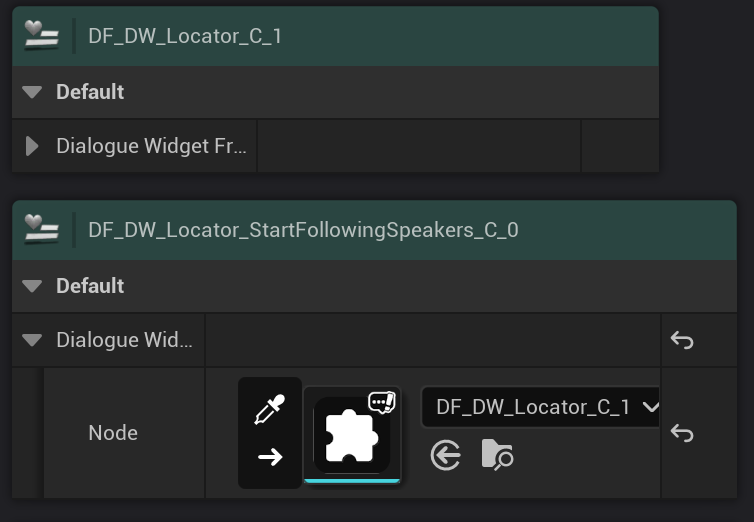
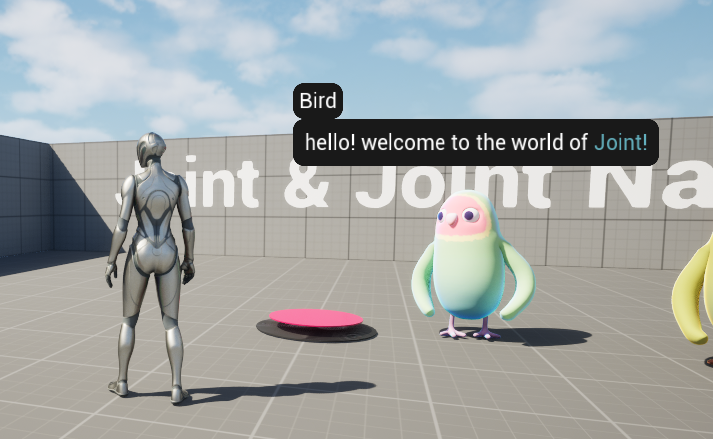
A fragment that order the specified Dialogue Widget Locator fragment to start following speakers participants of the lastly played Speakers and Listeners fragment in the dialogue.
This will set the dialogue widget's Use World Position property to true, making it to be rendered in world space.
Dialogue Widget Locator Stop Following Speakers
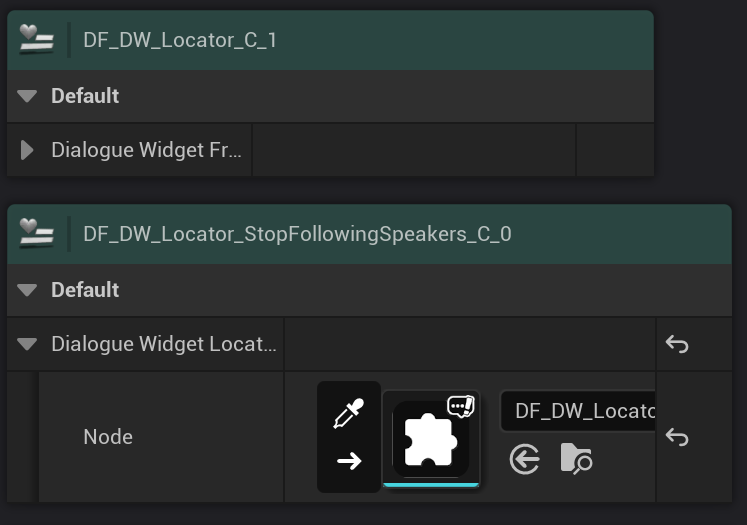
A fragment that order the specified Dialogue Widget Locator fragment to stop following speakers participants.
Dialogue Widget Wait Text Update
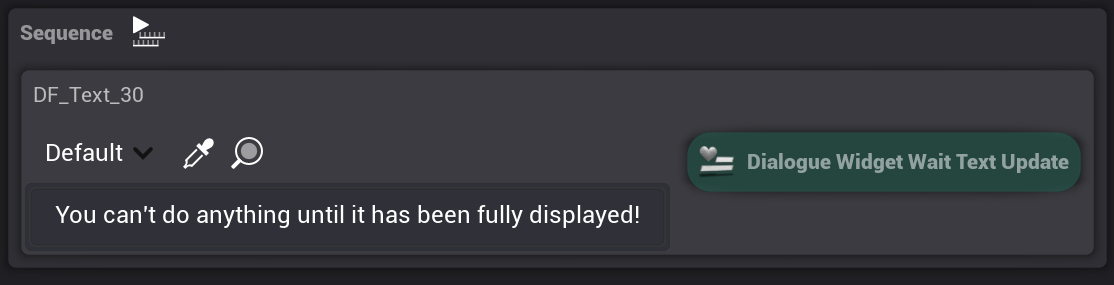
A fragment that will be active until the parent text fragment to be fully displayed in the specified dialogue widget in Dialogue Widget fragment.
You must specify a valid Dialogue Widget fragment with valid dialogue widget in runtime to make it work properly.
Dialogue Widget Set Text Update Speed
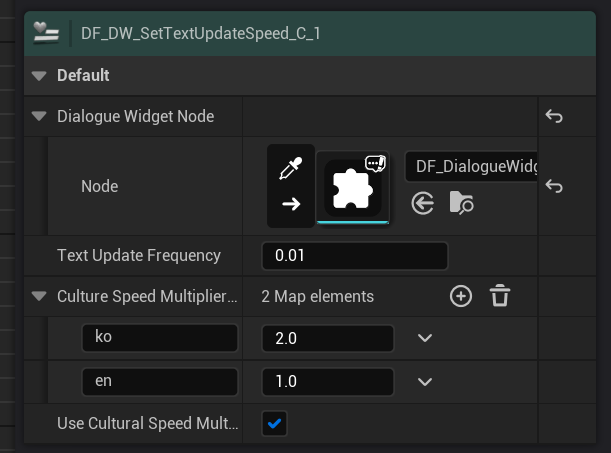
A fragment that changes the text update speed of the dialogue widget.
You can let it multiply speeds according to the culture of the client. This is especially useful to match out the overall playback speed of dialogues between cultures.
It uses IETF language tag for the identification. Please notice that.
For languages with Kanji ex, Chinese, Japanese uses significantly fewer characters than languages that use roman alphabet in writing system.
Also, Korean uses a system that grab all syllables or phoneme to compress down to single character, called syllable block, (모아쓰기, syllable block writing), it's also significantly fewer.
e.g. Korean: 갈색 여우가 흰 담장을 넘어간다 (17 character, included whitespaces ), English : A brown fox jumps over a white fence ( 30 character, included whitespaces )
Currently we only provide ko, en culture only, but we will expand it to every culture set in the world to synchronize their playback speed. Please wait for the update.
Dialogue Widget Play Animation
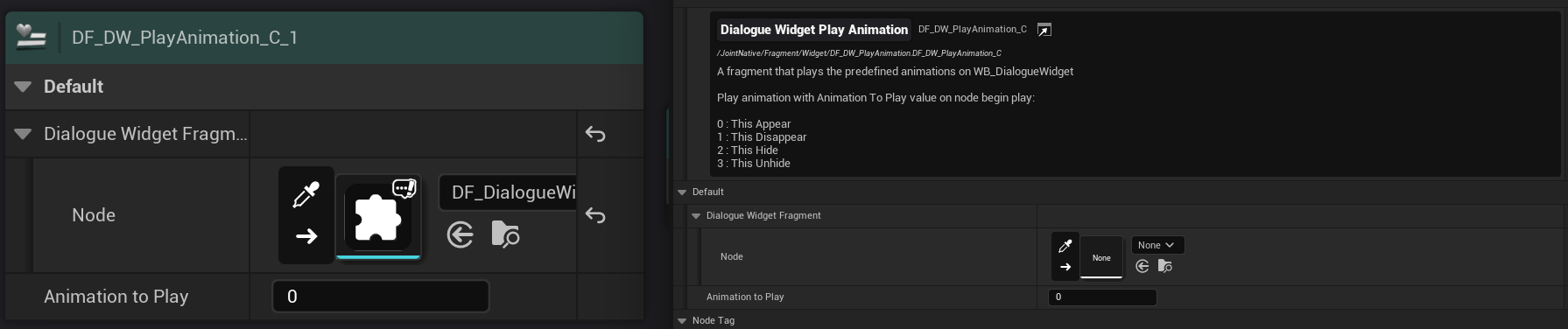
A fragment that order the dialogue widget to play some pre-defined animations. Put the id for the animation to play them.
This one has been created and provided only for the sample purpose to show you that you can also control your widget with fragments like this.
For example, if you want to change the widget's background image, you can make a fragment for that like this.
Deprecated
This section is covering some of the removed or deprecated fragments of the system.
They are not recommended to use at the moment, and either discontinued. If you have any of those, please remove them or replace with better version of them (will be explained individually), otherwise your project won't compile or broke in the future update.
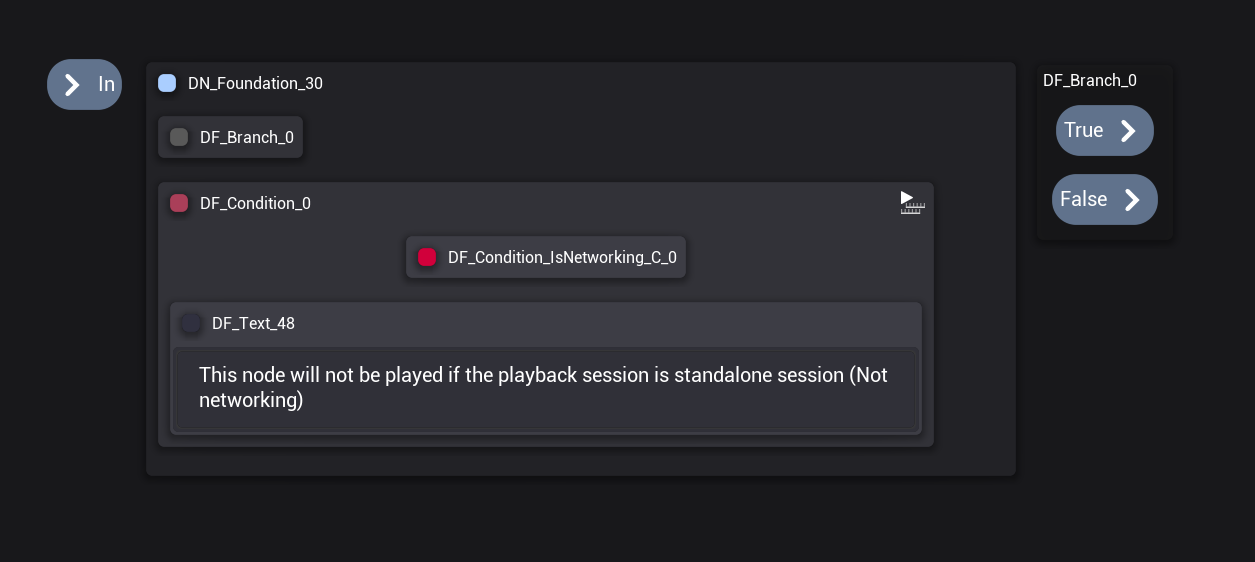
Condition
Now you don't need to use this to wrap the other condition nodes. Directly use condition fragments starts with Condition with branching fragments.
If you need to implement conditional fragments, use condition AND for that. This is also explained in the Condition ~ fragment parts as well.
A fragment for the conditional check on the dialogue manager.
It will play through the sub nodes one by one asynchronously just like the sequence node does, but it will break the iteration when any sub node changes the bConditionResult value to false.
Implement some sub nodes and change bConditionResult value from the sub node side to implement the condition action.
Check out the blueprint fragments with the name starts with 'Condition' to see how it utilizes it.
Branch
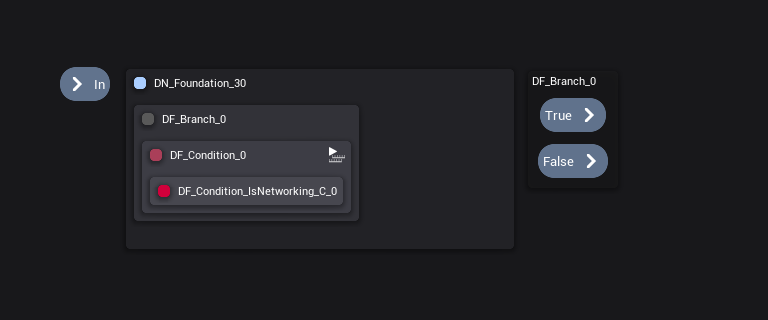
Use Branching instead, It's the same, but stronger. Oh, plus, this is discontinued anyway, so don't use it anyway.
Branch node is a most fundamental node for the flow control of the graph.
You can control the flow of the dialogue by attaching a condition node on this node.
If the attached condition node passes the condition check, branch node will play the nodes at the true pin. Otherwise, it will play the nodes at the false pin.
You can disable the false pin with bUseFalse variable. When the false pin is disabled, dialogue instance will continue to the next branch node if available. So you can create simple if-else branching with it.
It will not return any of the nodes if it was not played.
Components
Participant Related
Dialogue Participant Component
Dialogue Participant Component is a component that Joint Native uses to represent a participant on the dialogues.
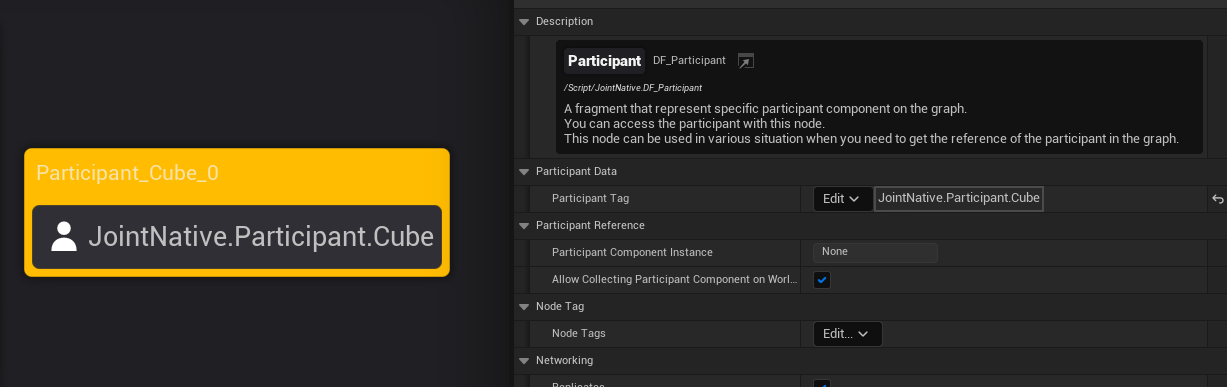
You can provide this component to participant fragment on the dialogue manager graph, either by automatic querying with Participant Tag, or accessing the fragment from outside to provide it manually, then the role for that participant fragment on the graph will be occupied with that dialogue participant component.
You can find the participant component on the world with those functions. (In c++, those are defined in UJointNativeFunctionLibrary.)
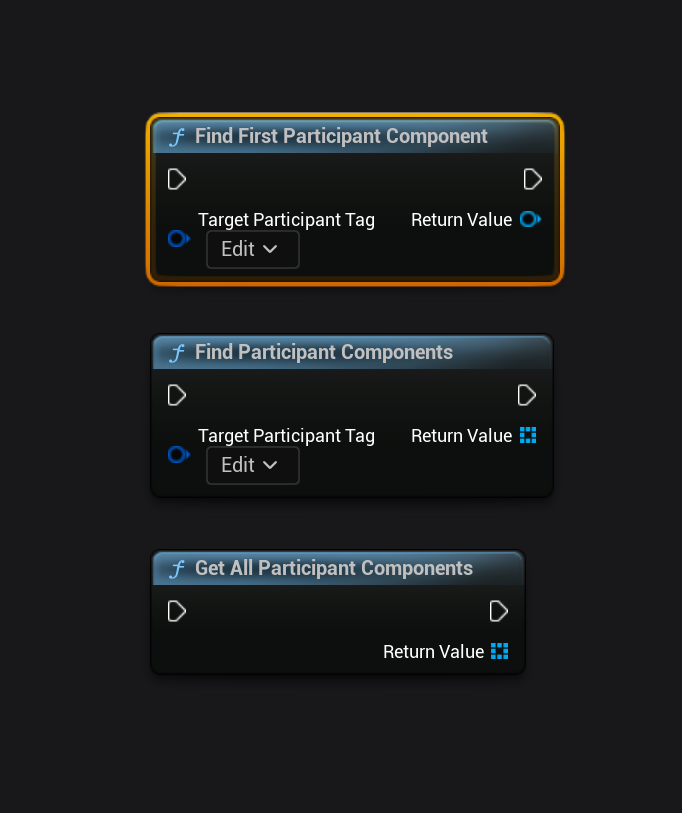
You can put multiple Dialogue Participant Component on one character as many as you want. This is useful when you want to make a character with multiple heads or split personality.
The Participant Tag property also can be used to specify which participant component is related to each of the other components that works with the participant concept.
For example, components like BP_Joint_ParticipantWidgetVisual, that provides the visual information for the participant on the dialogue widget, have Participant Tag property, that should refer the matching participant component's participant tag.
This design let multiple participant related components work with individual participant components. For example, if you are making a character with multiple head, and if you want to give different display name to each head, you can just put 2 participant components on there and provide different participant tags to each (ex, JointNative.Participant.Cerberus.Head1, JointNative.Participant.Cerberus.Head2), and put 2 BP_Joint_ParticipantWidgetVisual components and feed each tag to each component to make them work for individual participants.
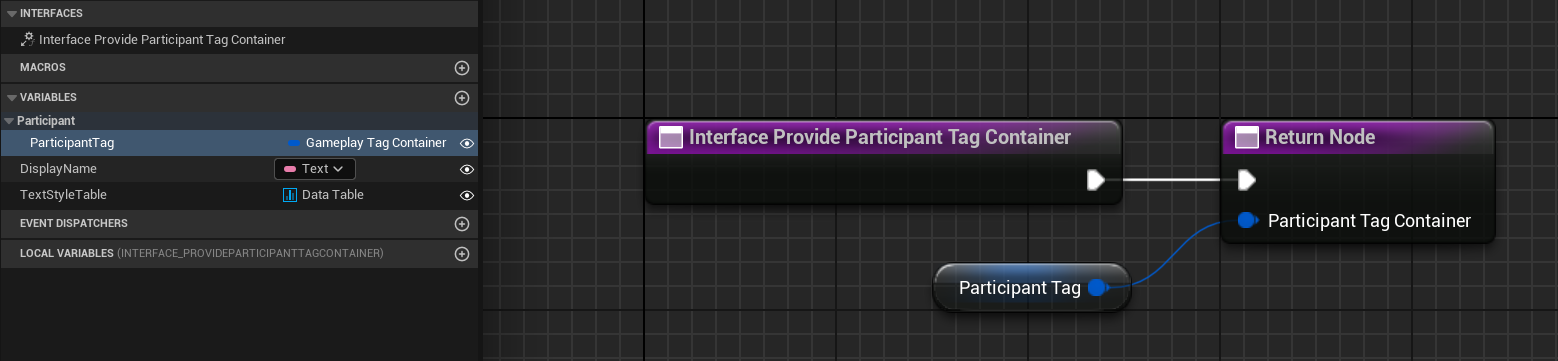
Joint Native provide BP_Joint_Component_QueryableWithParticipantTagInterface that allowing the system to easily identify which dialogue participant component your participant related components should work together.
If you want to make a custom component that works with Dialogue Participant Component, you can implement this interface on your component and override Interface Provide Participant Tag Container function and provide the tag of the participant tag for the identification.
You can get each participant related components for specific participant tags or specific participant component with BFL_JointNative_Utilities's functions called GetComponentsForParitipantWithParticipantTag, GetComponentsForParitipantWithParticipantComponent.
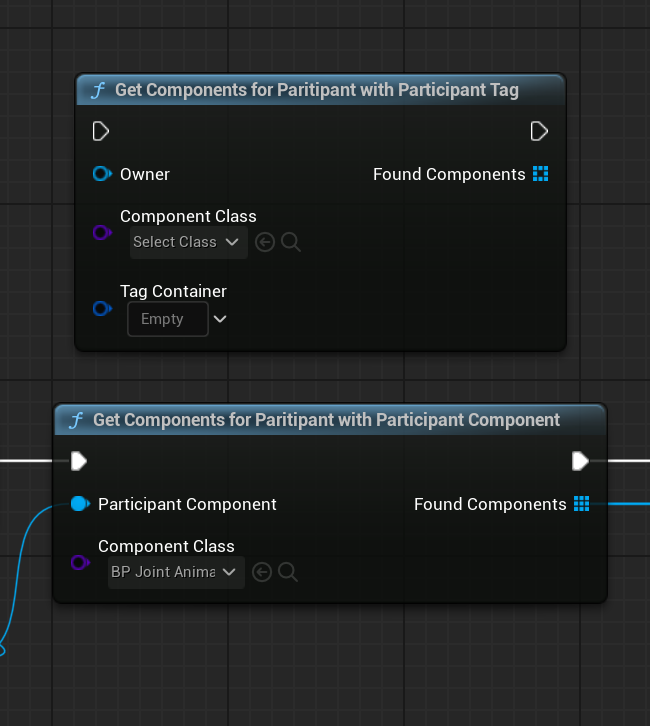
This will only work with the component classes that implement BP_Joint_Component_QueryableWithParticipantTagInterface and override the function.
Check out WB_DialogueWidget, it uses this function to grab the components from the participants when needed (Playing Mouth Animation, Updating Widget Visual, etc)
BP_Joint_ParticipantWidgetVisual
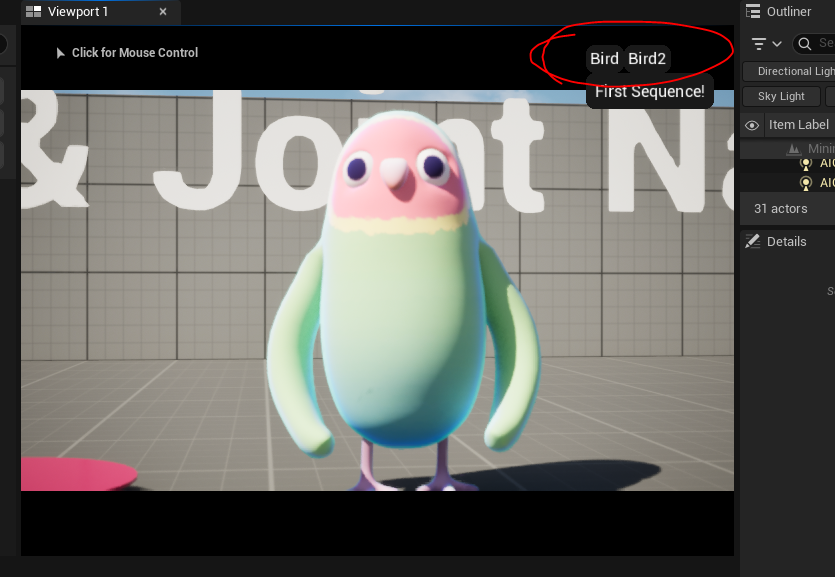
BP_Joint_ParticipantWidgetVisual is a simple participant related component that contains data related to the visual representation of a participant on the dialogue widget.
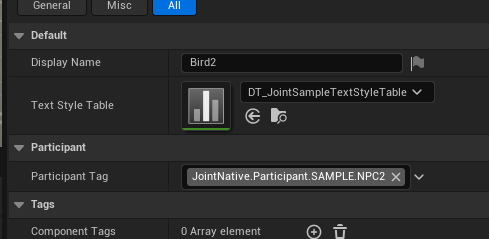
You can provide display name and text style data table you want to use on the name text block.
You can style it with rich text decoration system of unreal. Use the styles on the table asset on Text Style Table property.
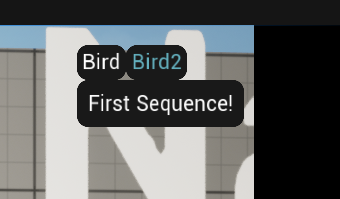
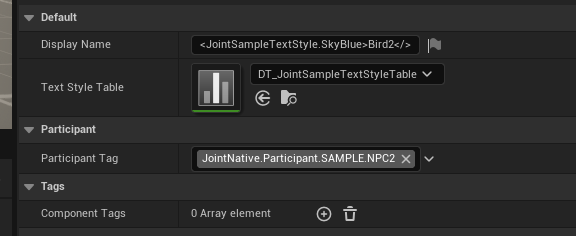
You can start off implementing other elements to show off on the widgets, like portrait images, icon, banner etc.
BP_Joint_ParticipantWidgetRenderSocket
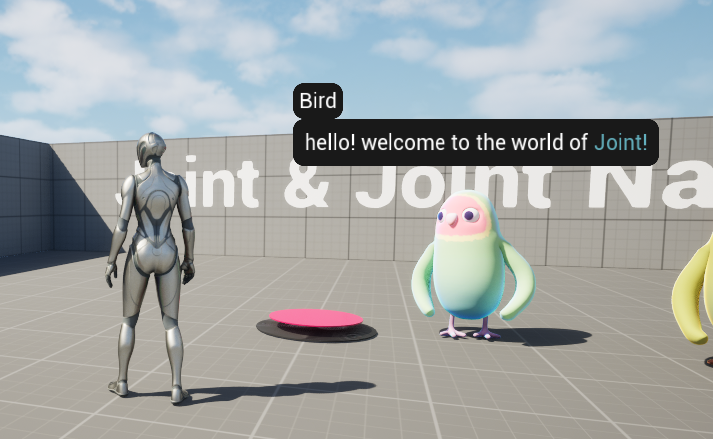
BP_Joint_ParticipantWidgetRenderSocket is a simple participant related component that represents the location where the dialogue widget will be displayed for this character.
Place it on your character and provide a valid participant tag of your dialogue participant component.
BP_Joint_AnimaleseSpeechSynthesizer
This feature requires the project to contain the localization data for destination culture and to origin culture.
Please change 'Internationalization Support' under project settings > packaging to include the culture-specific data for the languages if you want to use transliteration or ICU code on the final build.
BP_Joint_AnimaleseSpeechSynthesizer is a simple, and rather cute participant related component that provides animalese speech synthesis - inspired from Animal Crossing series.
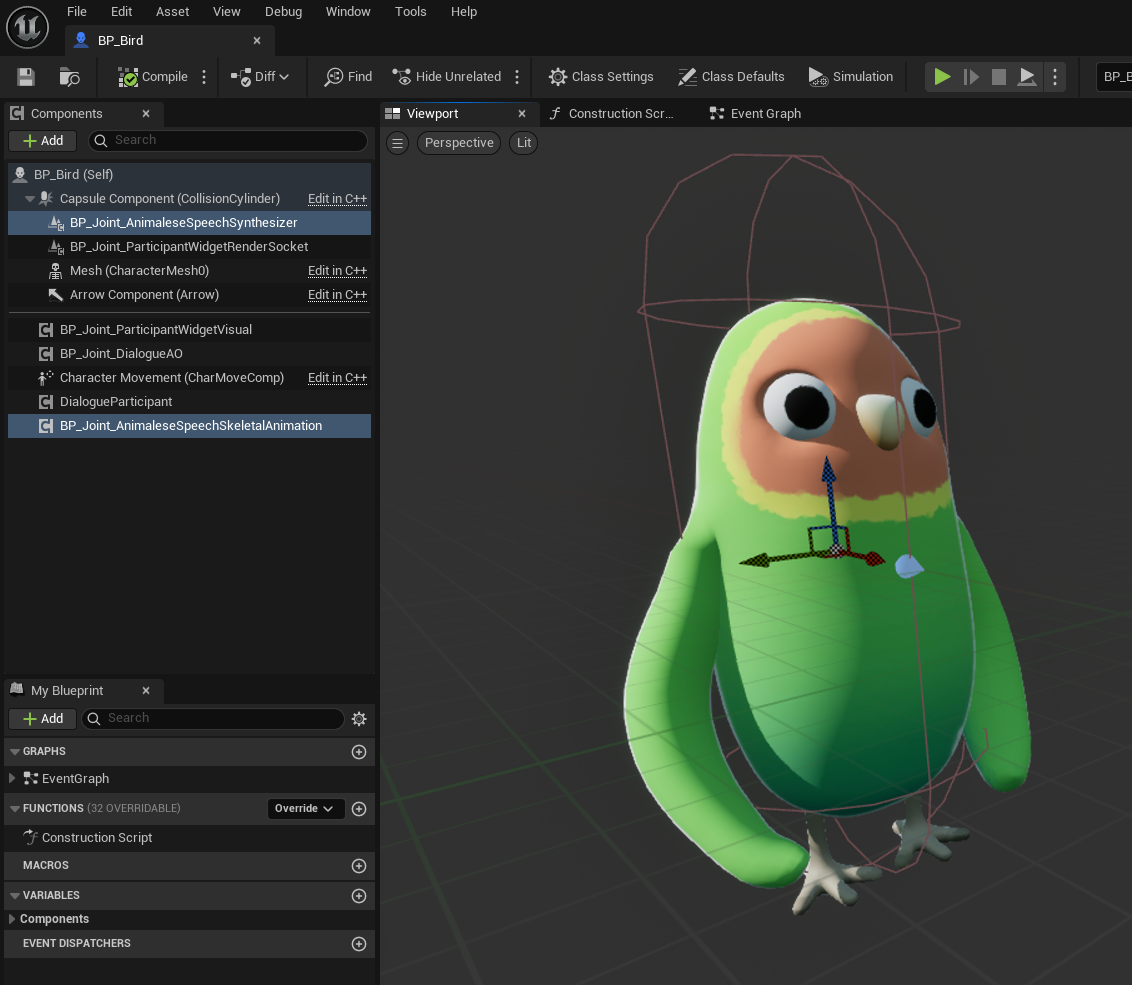
Attach it on the character and provide a valid participant tag of your dialogue participant component. It will start to produce speech sounds.
This component works with any language that are being supported to be transliterated into latin character on ICU library.
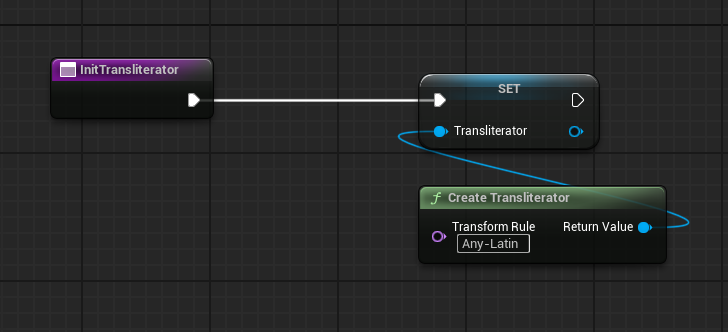
We implemented ICU transliterator UObject proxy instance that will transliterate the texts into specified culture character, and you can implement one to use it as you want as well.
This is also useful for some special localization situations, for example, you might want to display the player's account name with localized characters as well. (Yeap. It's a rare case indeed.)
Check out UJointNativeFunctionLibrary::CreateTransliterator() for further details.
The comment for UJointNativeFunctionLibrary::CreateTransliterator(), for the better understanding:
Create a transliterator with the provided destination and start culture. It will transliterate strings from the start culture to most appropriate characters according to its pronounce in the destination culture. (e.g. 안녕하세요 -> annyeonghaseyo) You can test out the final result in this site : https://icu4c-demos.unicode.org/icu-bin/translit (ICU official)
Transliteration will work only in the packaged build. (Will not work as intended on the editor) This feature requires the project to contain ICU culture-specific data on its package to work properly. Please change 'Internationalization Support' under project settings > packaging to include the culture-specific data for the languages if you want to use transliteration or ICU code on the final build. Here is the size of each of the culture-specific data :
- English (~1.77MB)
- EFIGS (~2.38MB)
- EFIGSCJK (~5.99MB)
- CJK (~5.16MB)
- All (~15.3MB)
@param TransformRule Transform rule for the transliterator. Check out possible rules for the system. https://icu4c-demos.unicode.org/icu-bin/translit (ICU official)
@return Transliterator wrapper object that contains the ICU native transliterator object.
Sample - BP_Joint_AnimaleseSpeechSkeletalAnimation
BP_Joint_AnimaleseSpeechSkeletalAnimation is a simple participant that animates player's mouth over the sounds production of BP_Joint_AnimaleseSpeechSynthesizer component.
You have to implement BP_Joint_ABP_DialogueSpeechAnimationInterface on the animation blueprint that should work with this component, and the skeletal mesh must have morph target for the mouth shapes. (A,E,O,I,U)
Check out BP_Bird, ABP_Bird for further examples.
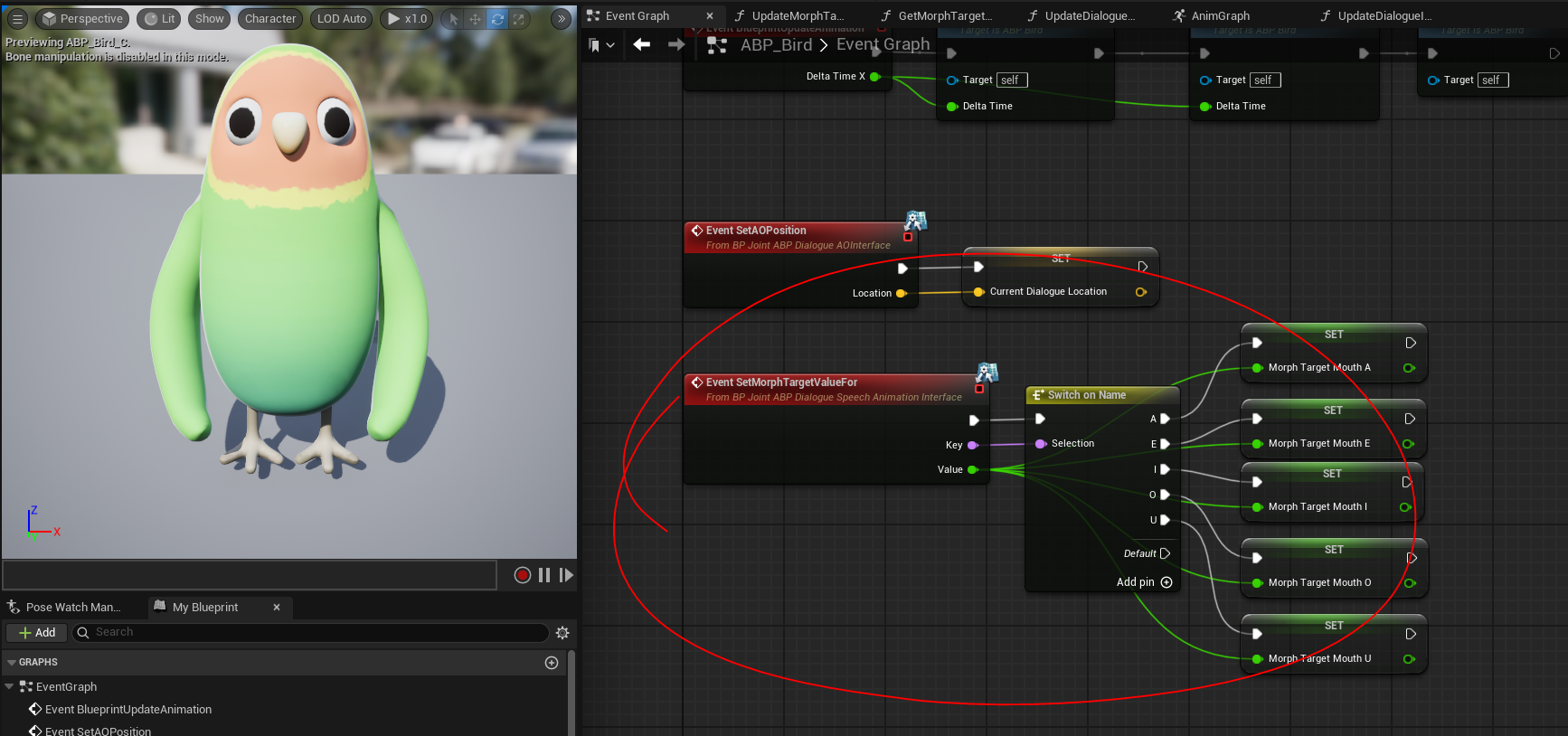
It's heavily focused on the showcase purpose - showing off that you can do things like this. Not recommended to use in the actual product, but well, it's up to you. And maybe you can use this one as a starting point for your character.
Sample - BP_Joint_DialogueAO
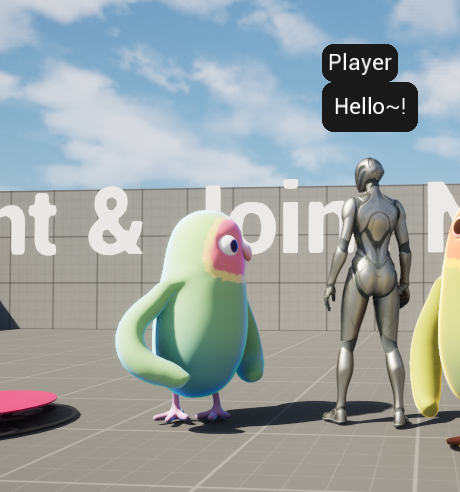
BP_Joint_DialogueAO is a simple participant that update character's aim offset to make it look like following the other participants.
You have to implement BP_Joint_ABP_DialogueAOInterface on the animation blueprint that should work with this component, and do some extra works (making AO assets, and implementing logics on ABP.)
Check out BP_Bird, ABP_Bird for further examples.
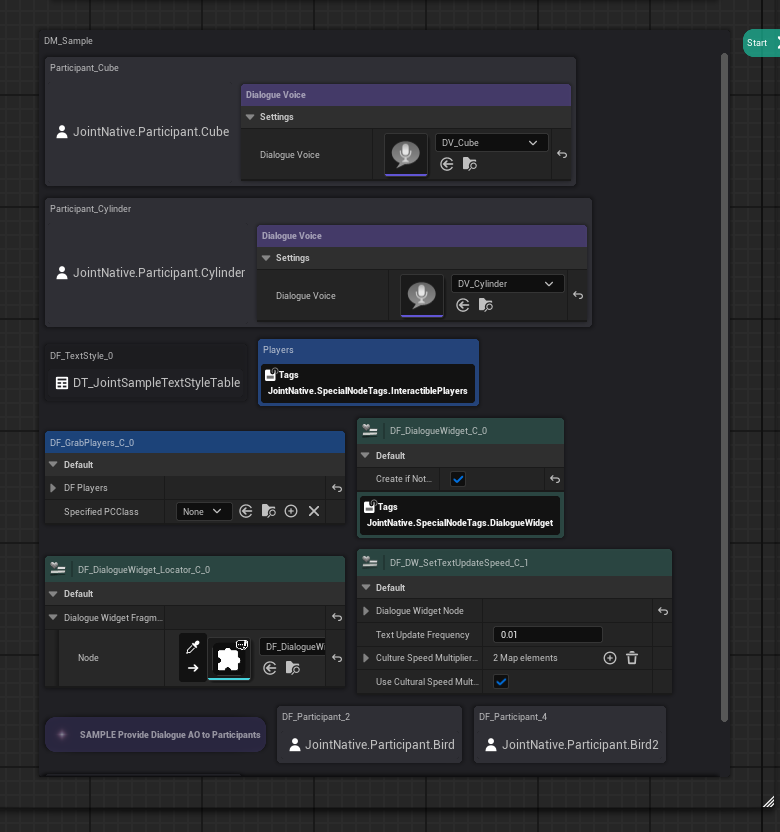
To make this component work, you must attach SAMPLE Provide Dialogue AO to Participants fragment as a manager fragment on the dialogue manager. This fragment will provide the data related to the AO to this component.
Widgets
WIP