1.15.0
Minimum required version of Joint: 2.11.0
In this update, we aimed to improve the usability of Joint Native by adding some new features.
Spotlight Features
Camera & View Target Control Nodes
Now Joint Native provides a system to control the camera and view target during fragment playback.
Camera Fragment
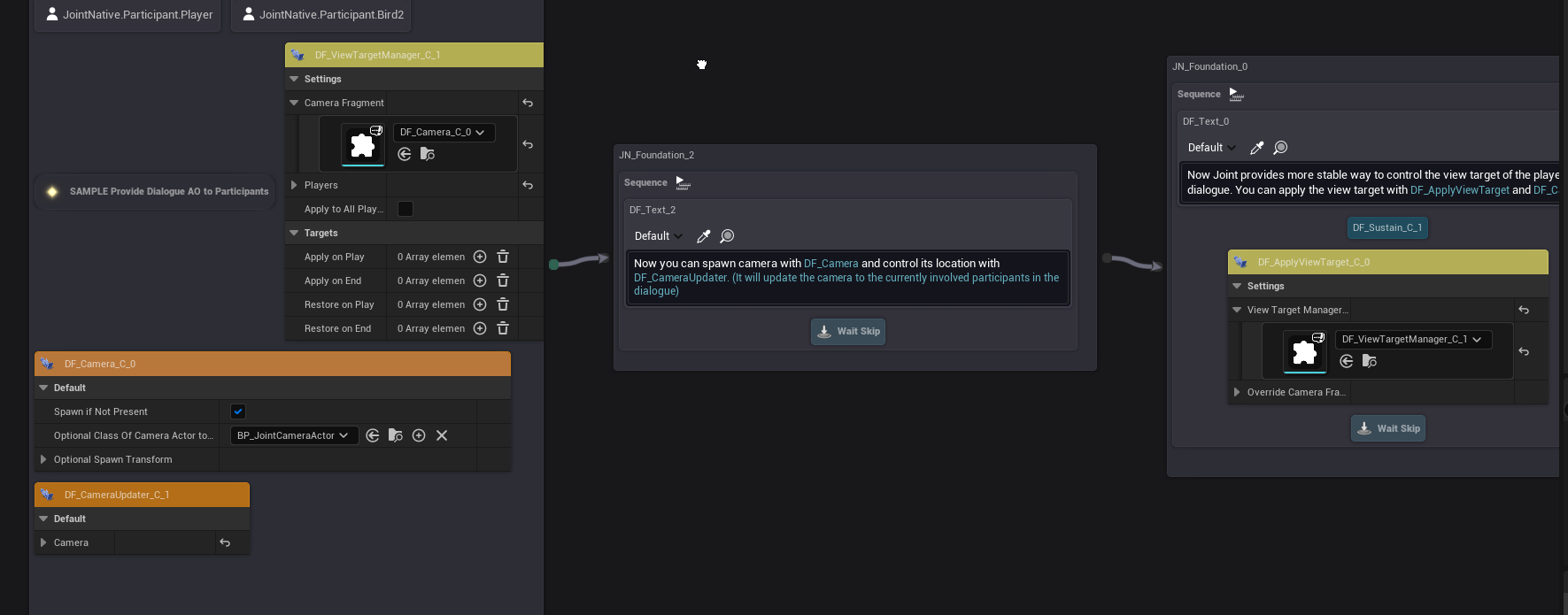
Camera Fragment is a container fragment that contains a camera actor to be used on the Joint Graph.
You can use it with other fragments such as View Target Manager.
You can make it spawn a new camera actor on the level if any camera actor is not specified before the begin play event of the fragment, and also you can set the transform of the camera actor on the fragment details.
Camera Updater Fragment
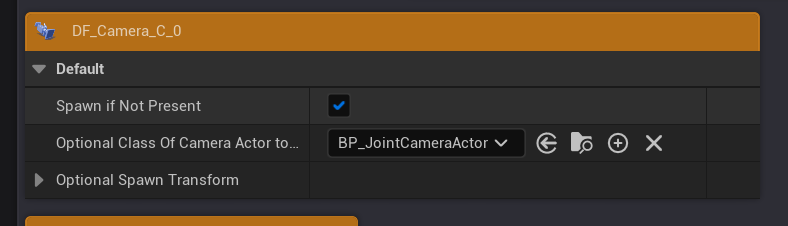
Camera Updater Fragment is a fragment that continually updates the transform of the camera contained in the specified Camera Fragment.
It will make the camera follow the specified target based on the selected update mode - while interpolating the transform smoothly based on the specified interpolation speed - allowing you to create smooth camera movements easily.
This fragment must be used as a manager fragment.
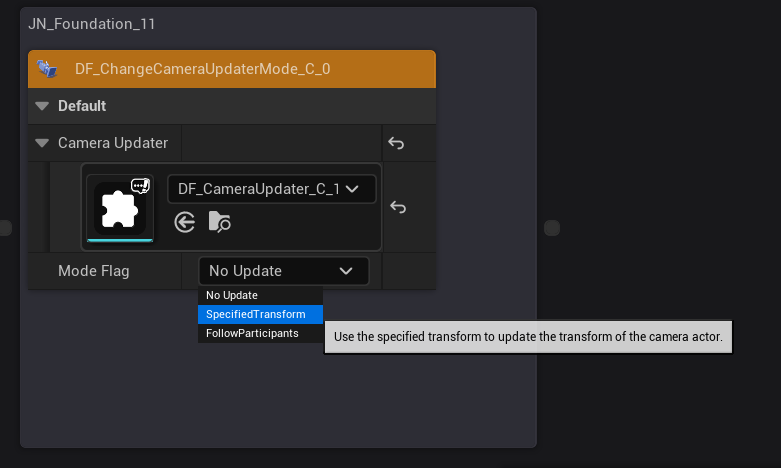
It currently has 3 update modes available:
- Follow Participant: The camera will follow the specified participant's transform.
- Specified Transform: The camera will update its transform to the specified transform.
- No Update: The camera will not update its transform.
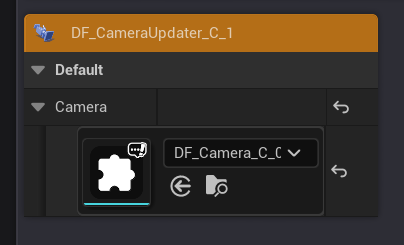
Change Camera Updater Mode Fragment
Change Camera Updater Mode Fragment is a fragment that allows you to change the update mode of the specified Camera Updater Fragment.
View Target Manager Fragment
View Target Manager Fragment is a fragment that allows you to change the view target of the player controller to the camera contained in the specified Camera Fragment.
This fragment must be used as a manager fragment.
It will smoothly interpolate the view target change based on the specified interpolation speed.
It will also record the previous view target before changing it - allowing you to revert back to the previous view target with additional fragments later.
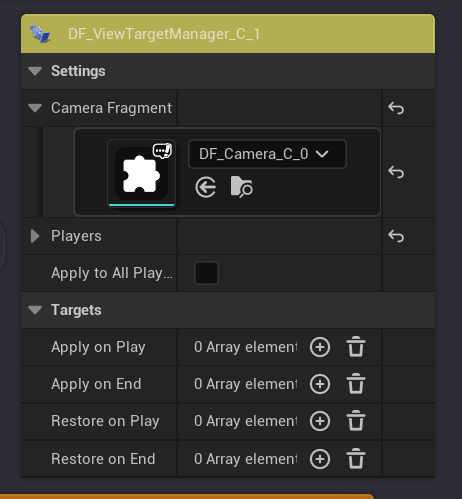
You can also use Apply/Restore on Play/End properties to make the view target change happen automatically on the begin/end play events of the specified fragments.
This is quite a new approach compared to the previous way of changing view targets with custom fragments, and thus we also provide additional fragments to make it easier to use for you.
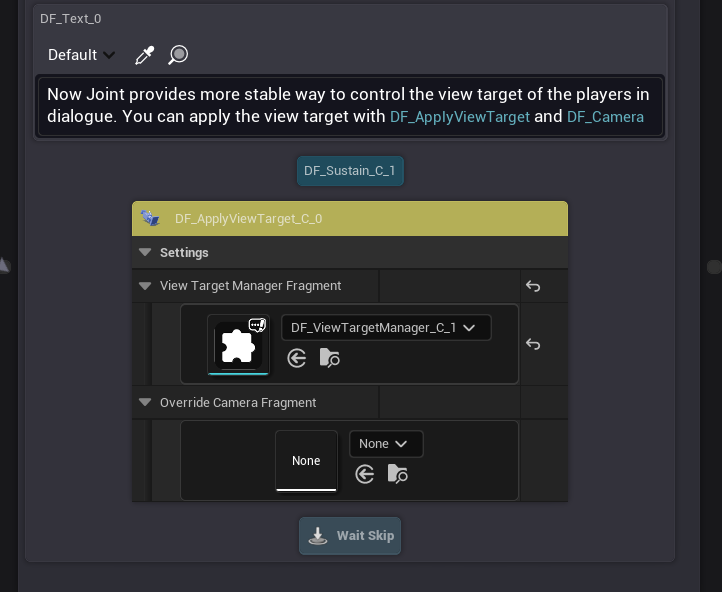
Apply View Target Fragment
This fragment allows you to change the view target of the specified participant to the camera contained in the specified Camera Fragment.
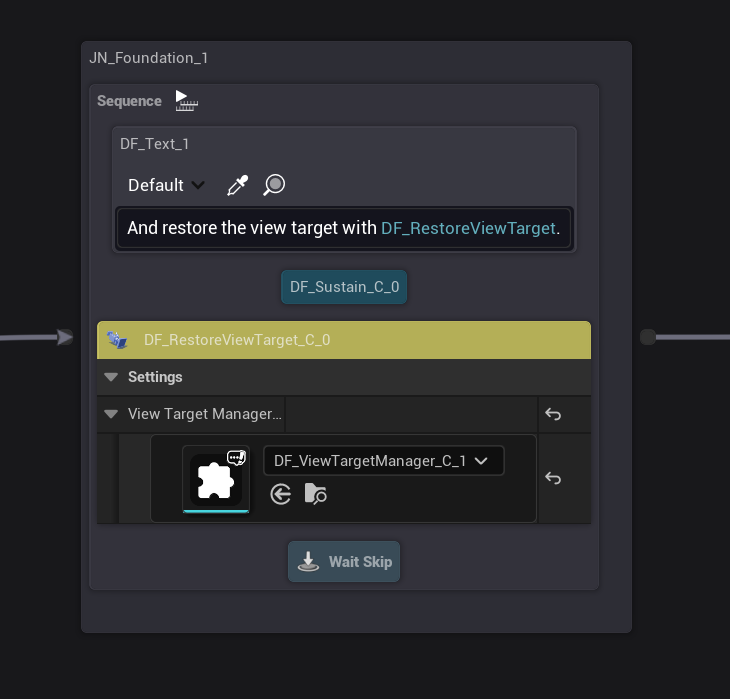
Restore View Target Fragment
This fragment allows you to revert back to the previous view target of the player controller, which has been recorded before the last view target change with View Target Manager Fragment or Apply View Target Fragment.
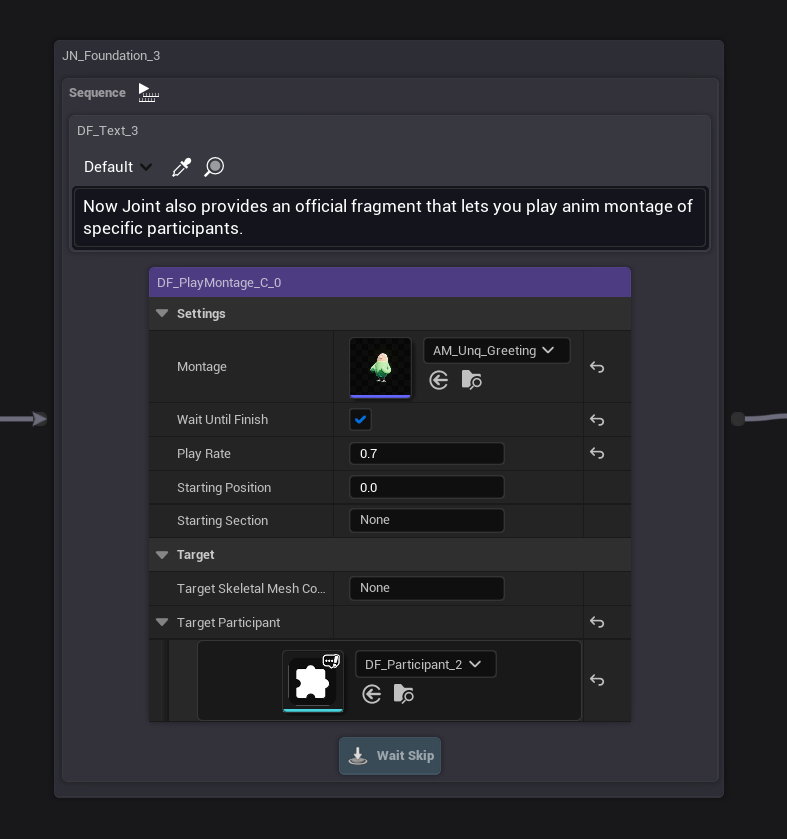
Play Montage Fragment
Now Joint Native provides a fragment called Play Montage Fragment, which allows you to play an animation montage on a specified skeletal mesh component of specified participant.
We previously encouraged users to make their own custom fragments for playing animation montages, but now with this built-in fragment, you can easily play montages without creating custom fragments.
New Dialogue Widget Related Nodes
Now Joint Native provides new nodes to work with Dialogue Widgets.
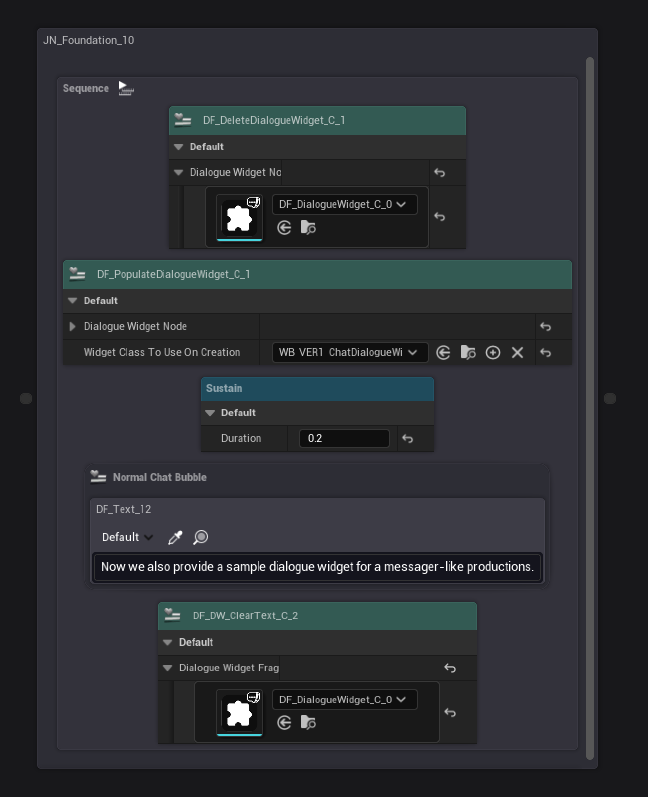
Delete Dialogue Widget Fragment
This node allows you to delete a dialogue widget of the specified DialougeWidget fragment.
Populate Dialogue Widget Fragment
This node allows you to populate a dialogue widget with the specified widget class, and provide it to the specified DialougeWidget fragment.
Dialogue Widget Clear Text Fragment
This node allows you to clear the text displayed on the specified dialogue widget.
Dialogue Widget Has Been Refactored
Now the dialogue widget has a lot better structure and comments for its implementation for further customizations.
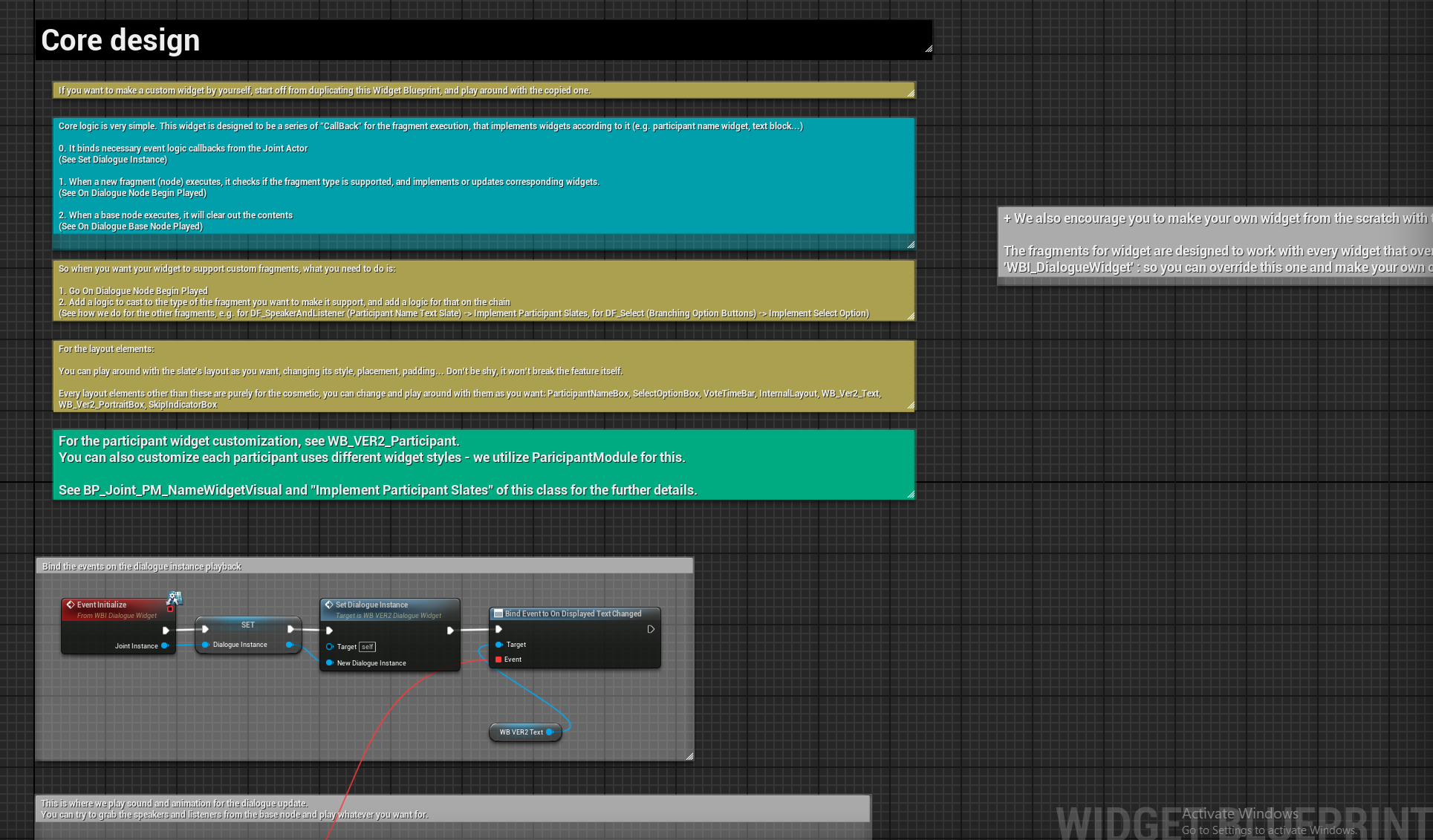
Plus, We changed WB_VER2_DelaySizer to only apply the size cramping logic on the runtime, instead of applying it on the design time as well. This allows you to freely customize the dialogue widget in the UMG editor.
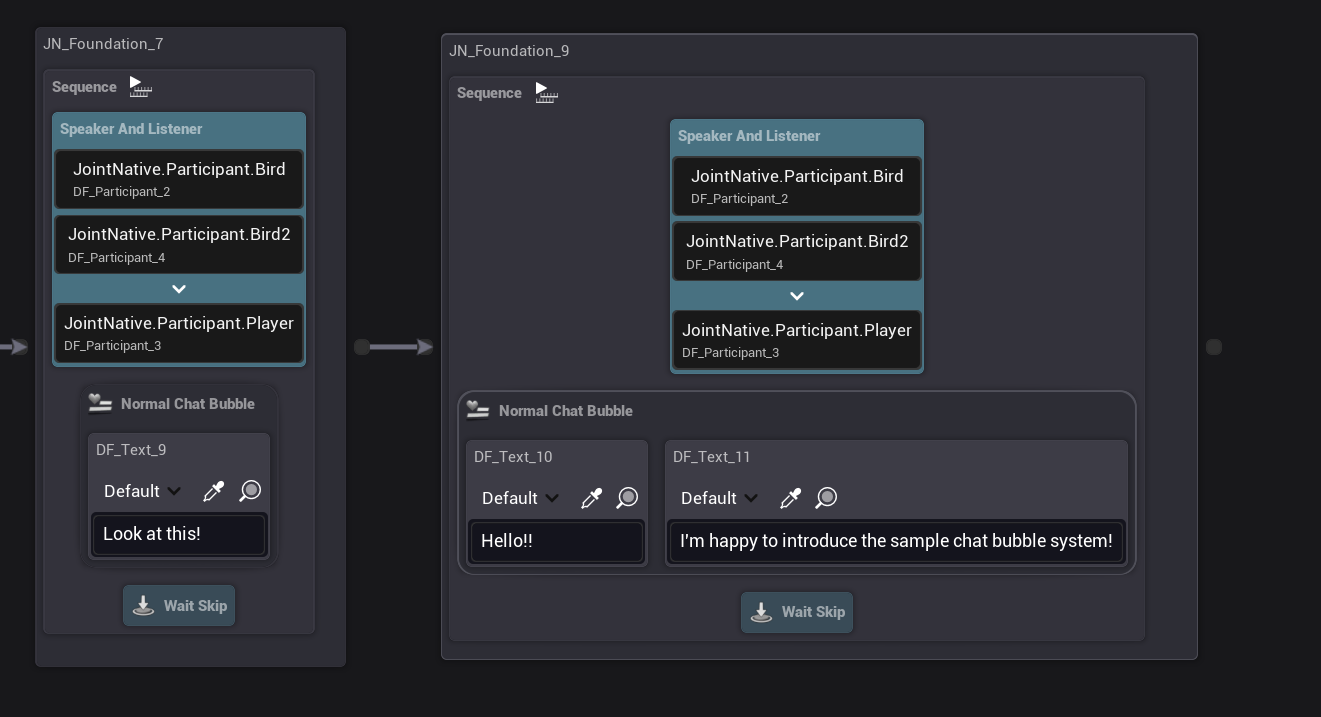
New Sample Dialogue Widget Has Been Added: Chat Bubble Style
This is a requested feature from a user on our Discord!
We've added a new sample dialogue widget that displays each texts in an individual chat bubble in the widget. (similar to chat apps (e.g., Messenger, LINE, etc.))
This is just a sample implementation, and you can customize it as you like.
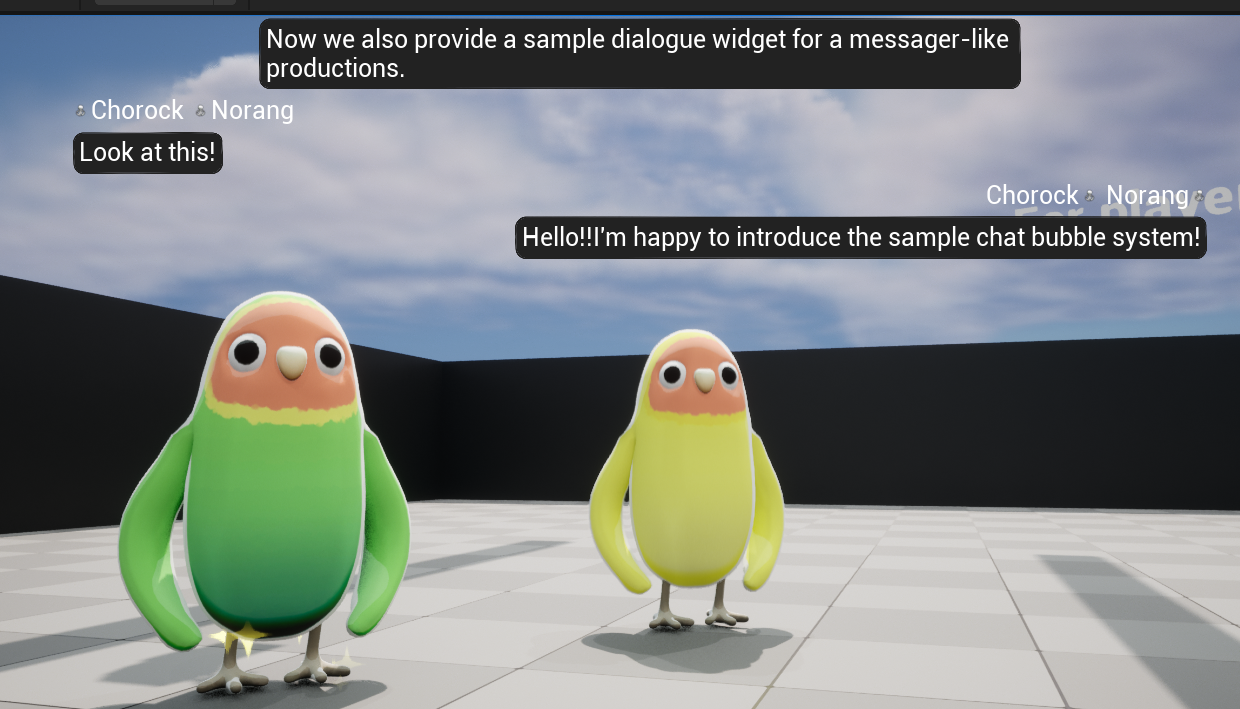
This feature requires the participants to have a BP_Joint_PM_ChatNameWidgetVisual_C participant module on their Participant Component for the name display on the widget. Make sure to add it if you want to use this feature.
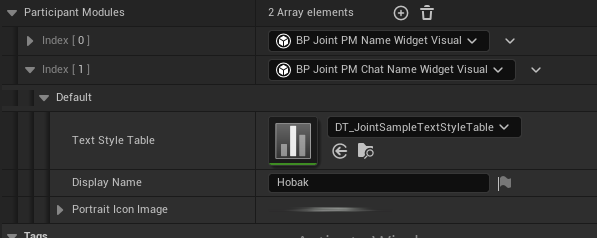
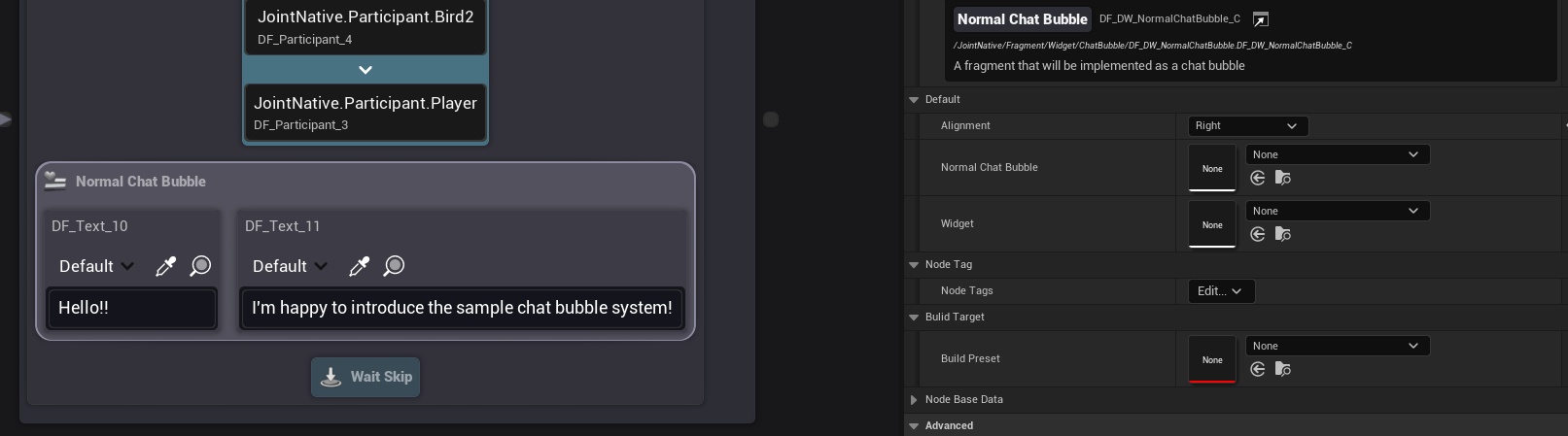
You have to use Normal Chat Bubble fragment to implement each chat bubble - you can set the alignment or the bubble with it. (or any other custom system you want to make with it - or you can make a chat bubble fragment for yourself for custom usages!)