2.11.0
This update is quite a big one, with several new features and improvements.
Highlighted
Joint Movie Track
Now Joint provides a custom Movie Track called Joint Movie Track that allows you to control the activation of fragments through Sequencer.
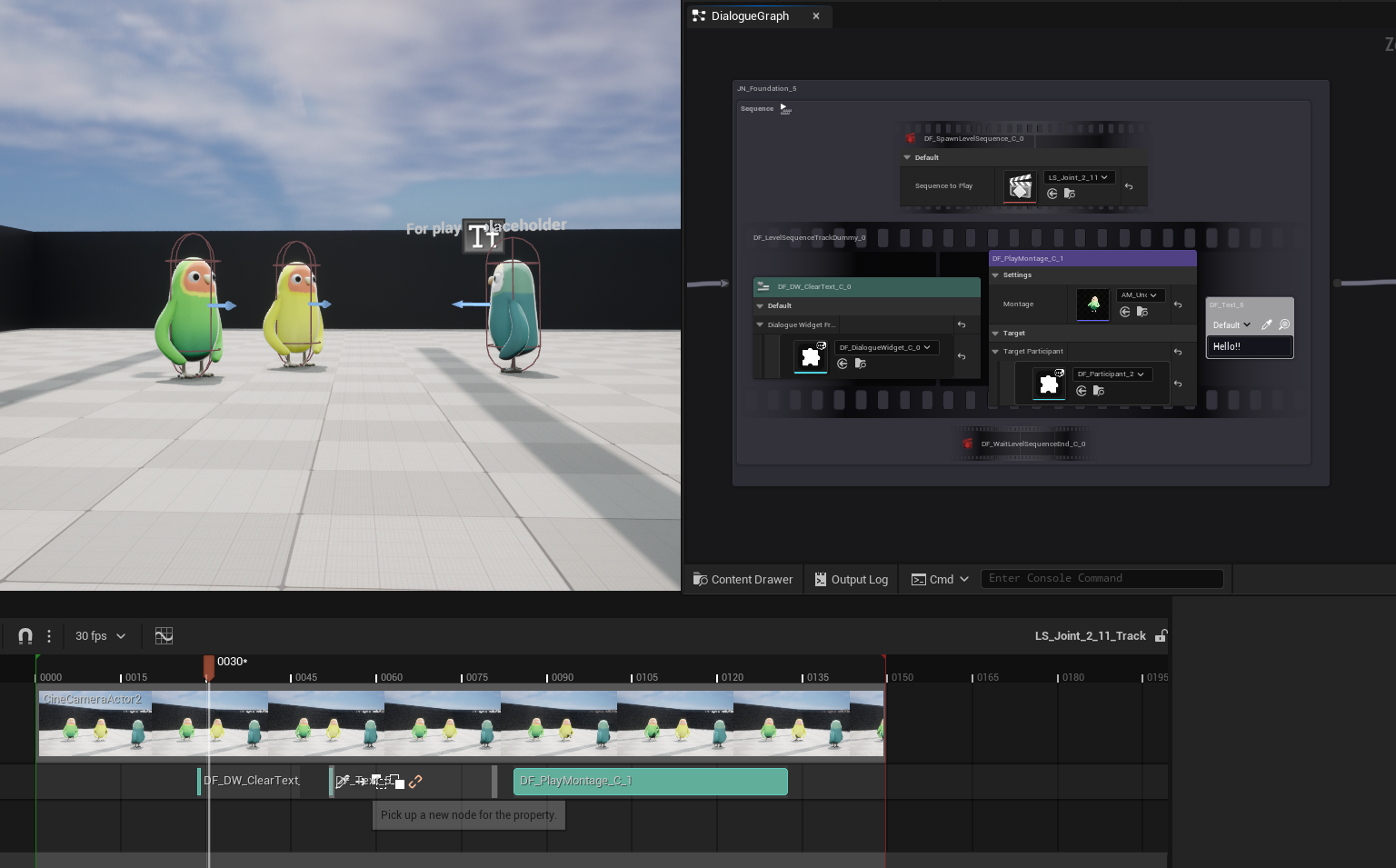
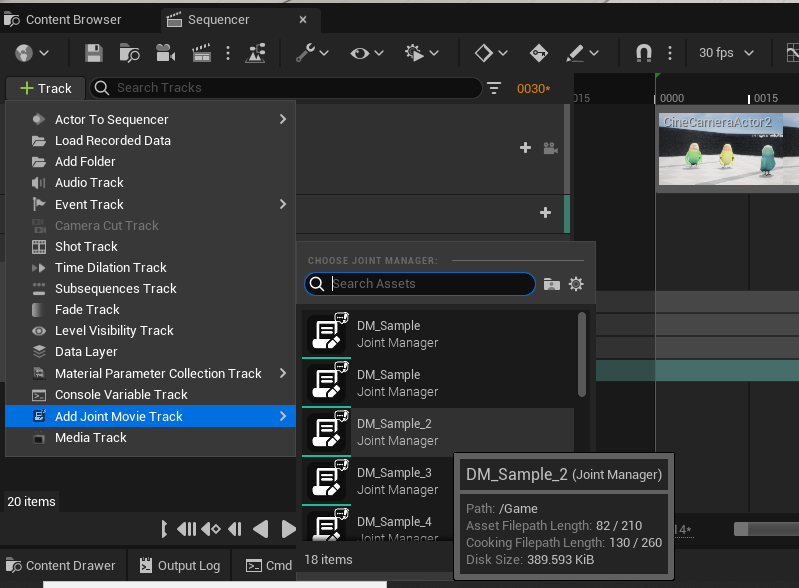
On the level sequencer editor, you can add a new Joint Movie Track by pressing Add Track > Add Joint Movie Track.
Once you have added the track, you can add a new section by pressing the + Node Section button on the track's header.
There are two types of sections you can add: Trigger and Range.
Triggersections will activate the fragment at a specific time point. It will only trigger the begin play of the fragment, and will not end play automatically.- thus if you want to use this section type, you need to use additional way to make it workaround with the pending logic of the fragment (e.g., using a Delay Node inside the fragment to call End Play after a certain time).
- One of the way we recommend is to use it with
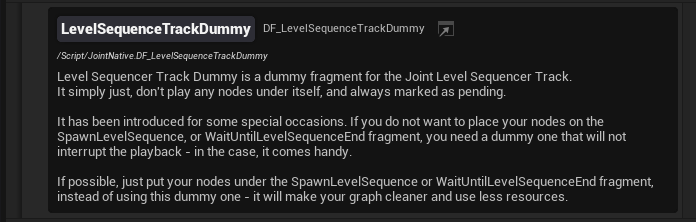
LevelSequencerTrackDummyfragment that has been introduced in Joint Native 1.15, which, it simply just, don't play any nodes under itself, and always marked as pending - allowing the fragments under it to be completely excluded from the node playback flow. Put your fragment under this dummy fragment, and call it via the trigger section.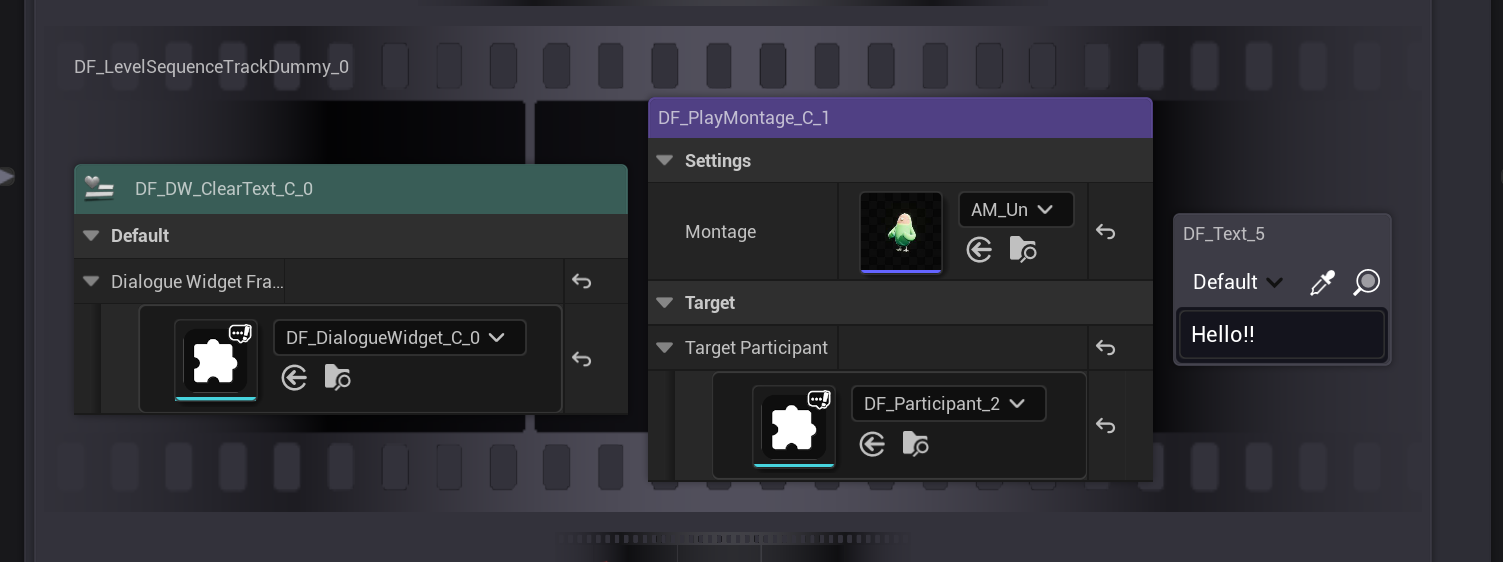
Rangesections will activate (begin play) the fragment for a specific time range - and deactivate (end play) it when the range ends. This is useful for making your fragments play for a certain duration.

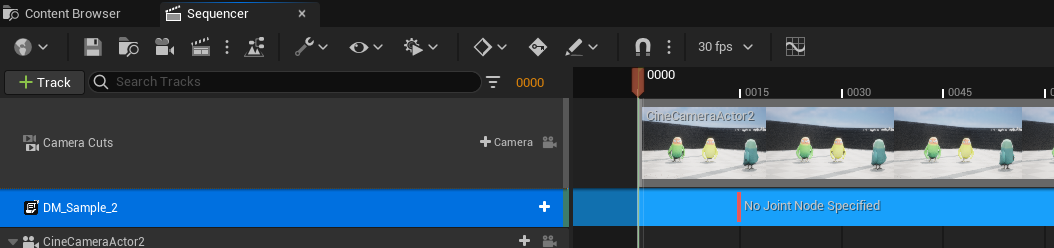
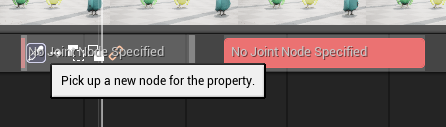
If you hover your mouse cursor over the section, you will see that the node picker UI is shown, allowing you to pick the fragment you want to activate at that section from the graph.
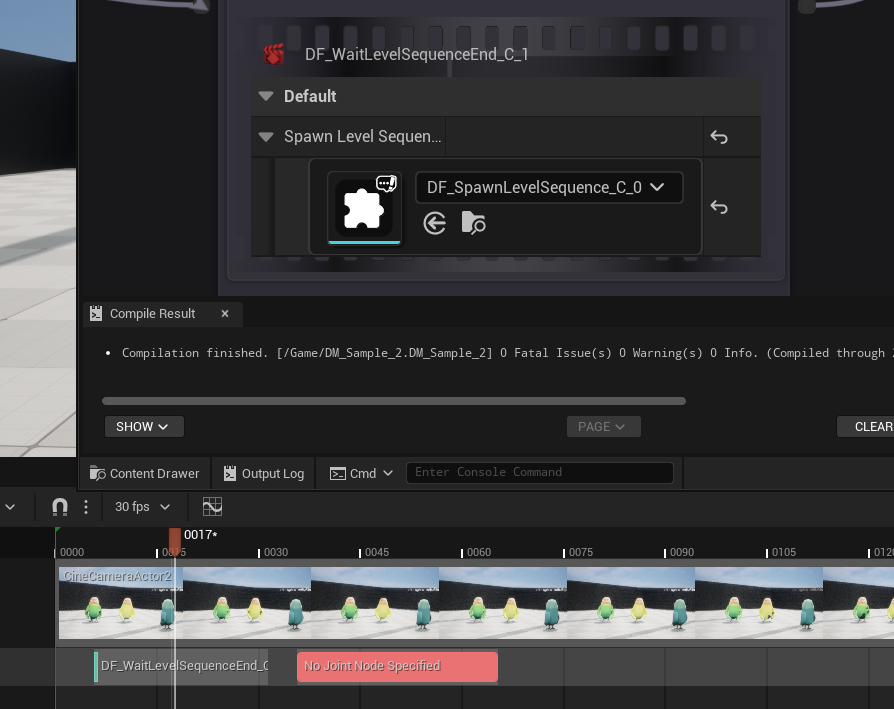
If you press the node picking button, the editor for specified Joint Manager will open, allowing you to pick the fragment node you want to use for that section.
You can continue like this to make your own cutscene or scripted event flow using Joint fragments!
Easier Networking Features With Fragments
Now you can make your fragments can trigger RPC functions directly without workarounds with player controller.
This feature is extremely experimental, and we highly recommend you to use it with caution. There might be some unknown issues with this feature - and we would love to hear your feedbacks about it.
If you enable bUsePlayerControllerAsRPCFunctionCallspace on your fragment's class settings, the fragment will use the first player controller as the callspace for its RPC functions when the host is a client type.
To use this feature, your fragment must be replicated - so make sure to enable the Replicates option on your fragment's class settings as well.


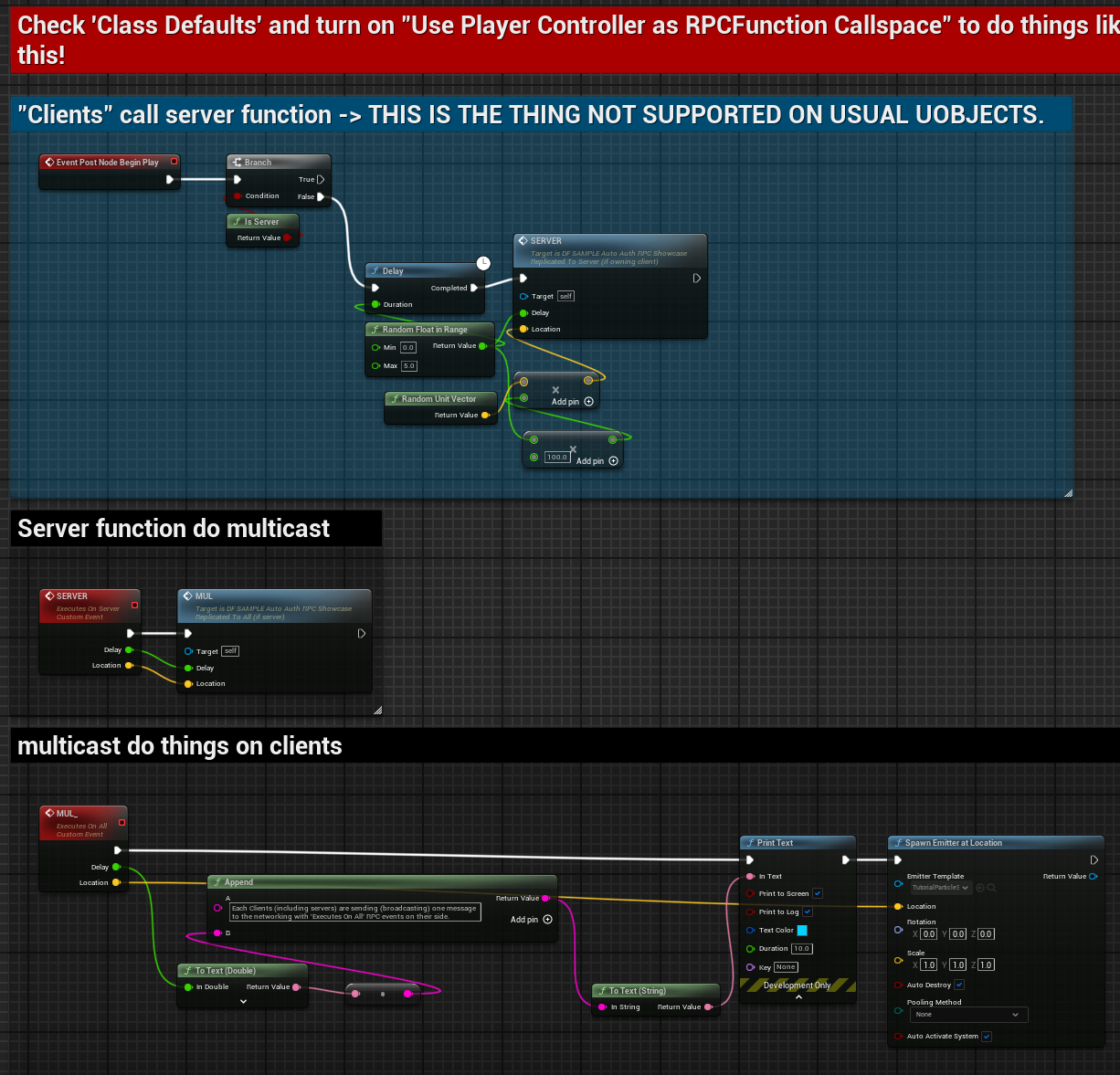
We included DF_SAMPLE_AutoAuthRPC_Showcase fragment in the sample project to demonstrate this feature further. This fragment will call an RPC function with "On Server" specifier from the client side (which is not possible without this feature),
and the server will print a message to the output log when it receives the RPC call, and the server will execute a multicast RPC function to make all clients spawn an particle effect on a specific randomly generated location.
Better BP Support
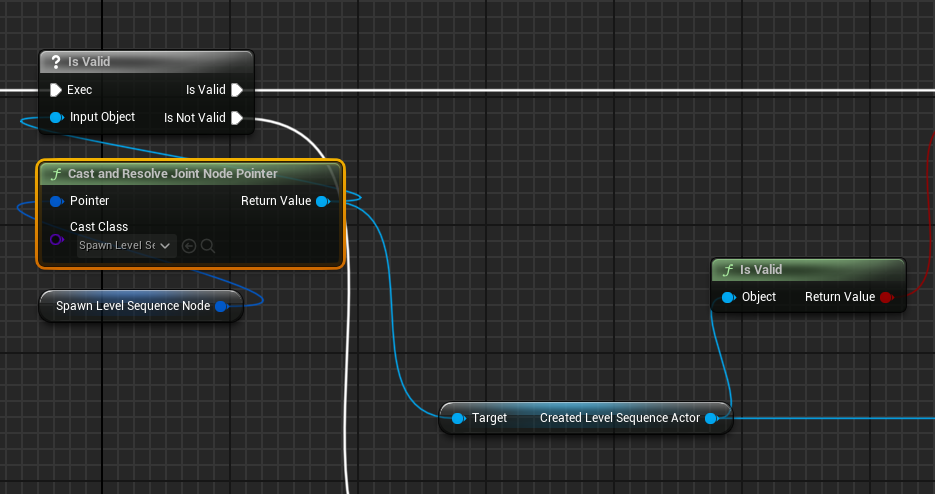
A function named CastAndResolveJointNodePointer has been added to the Joint BP library. This function allows you to cast and resolve a Joint Node Pointer to a specific Joint Node type in one step, simplifying the process of working with Joint Node Pointers in Blueprints.
You still need to validate the output of this function to ensure that the cast was successful.
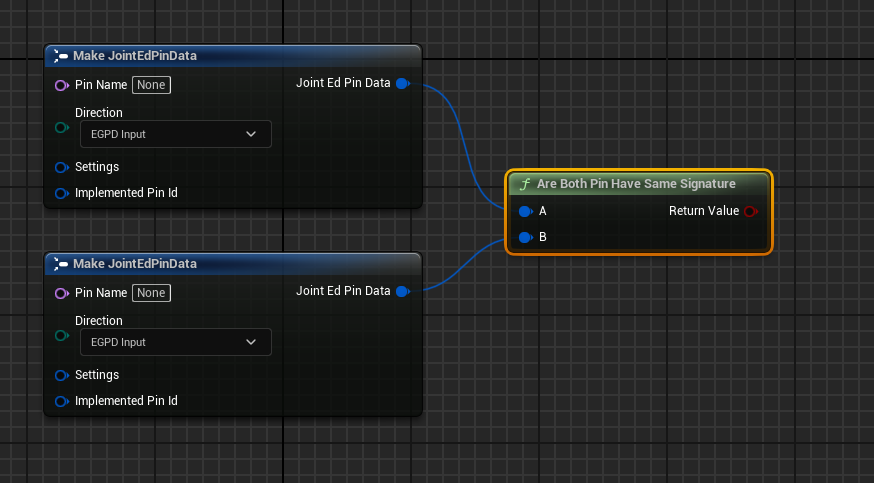
A bit minor one: A function named AreBothPinHasSameSignature has been added - this function checks if two Joint Pins have the same signature.
Changed
Changed the logic of the Search & Replace tab's filtering to handle the texts with spaces better.
Changed the logic of the detail panel's building to properly handle the visibility of properties.
Fixed
- Fixed an issue where the node picking mode would not be cancelled by pressing the ESC key in some cases.
- Fixed an issue where the duplication of the subgraph was not working properly.
Additional Notes
Please check out Joint Native 1.15 release note for more details about the new features and improvements as well; We added a ton of new features and improvements!