2.13.0 - Milestone Update
Devlog
Joint is now complete.
The "External File Importing & Linking" feature added in this update was the final piece of the puzzle I envisioned when first designing the 'completed form' of Joint. It is truly moving to finally present this feature, which had remained only as a concept for so long.
Starting with version 2.13.0, Joint officially includes all the core elements required for the most superior narrative framework I originally dreamed of. While there are still many areas to improve, I officially declare that the development of major new features for Joint as a Core Framework is now complete.
Does this mean Joint development is over?
No, the completion of core features does not mean development has ended. However, the direction of development will shift slightly.
From now on, Joint’s development will prioritize "refinement" over "expansion." We will focus on modernizing and optimizing legacy code that has been maintained for a long time, and streamlining the UI and workflow so that users can use newly added features (such as External File Importing and Node Presets) more intuitively and conveniently.
The development cycle will also become longer than before. Originally, Joint maintained a rapid development cycle, adding major new features every 1–2 months. Now that we are focusing on regular maintenance updates and bug fixes, updates will not occur at such an aggressive pace.
The real story of Joint begins now. As the core framework is complete, I plan to promote the project more aggressively so that more developers can experience Joint. Furthermore, we will actively listen to community feedback to ensure Joint continues to evolve into a tool that developers truly need.
Separately, the External File Importing feature will be developed rapidly and actively.
The CSV external file importing feature added in this version is still in its early stages. Currently, it only provides a very basic set of nodes (e.g., Monologue, Select, etc.), and the linking functionality with external files can be unstable.
Naturally, I have no intention of leaving this feature in its current state. We plan to expand this functionality in future updates so that the workflow with external editing tools can be perfectly integrated.
Joint Native: Unstoppable Expansion
Joint Native has already made significant progress compared to its initial release and has reached a level sufficient for creating most games of any scale.
However, there are still many features to add and endless room for improvement. We will not stop expanding the unique features of Joint Native to ensure your projects can achieve even more powerful performance.
Closing the Devlog...
I would like to express my sincere gratitude to everyone who has supported the development and waited for Joint updates.
Now, let’s take a closer look at the specific features added and modified in this version.
New Features
External File Importing & Linking
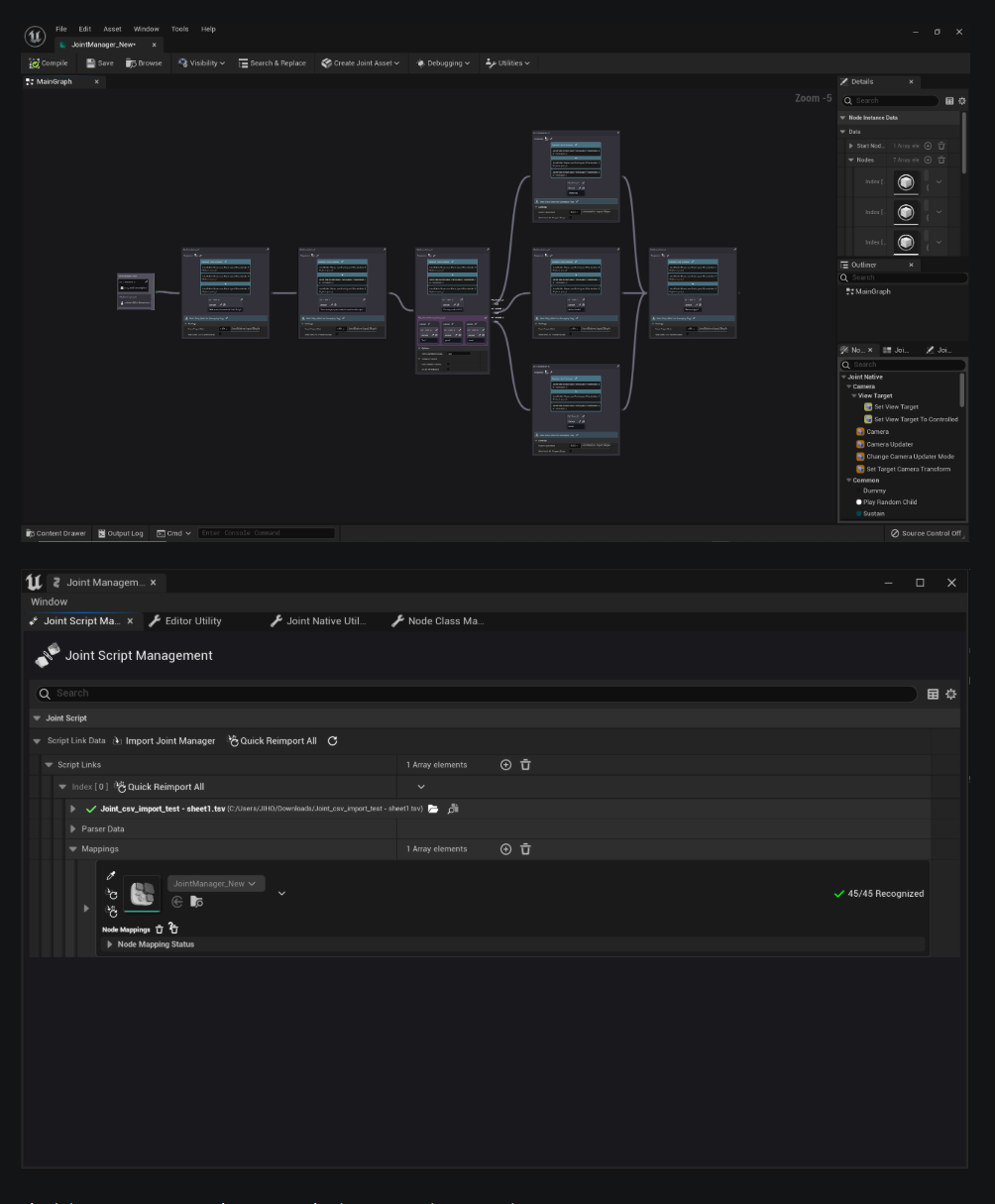
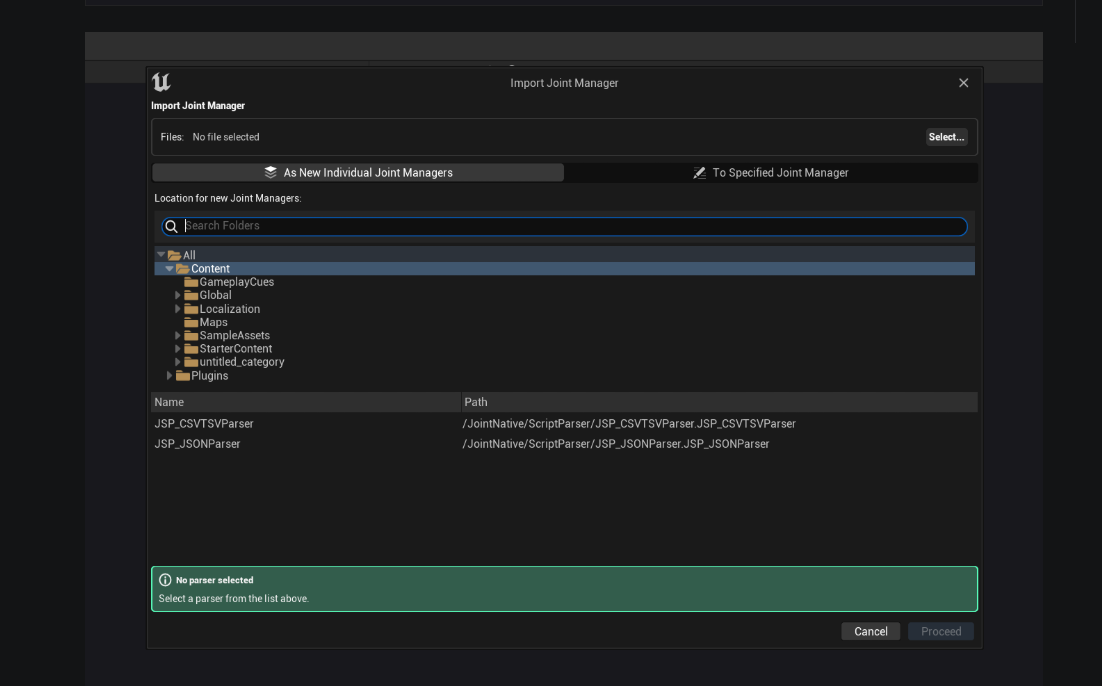
Joint now officially supports the Joint Script Linker feature, which helps import external text-format files, convert them into nodes, and track/re-import those generated nodes.
Currently, a parser for importing CSV-format text files has been added first. Since CSV files can be easily edited in simple text editors, they are extremely useful in situations where you need to generate a large number of nodes quickly.
You can find detailed descriptions and usage instructions for this feature at the link below:
https://jointplugin.com/docs/guide_docs/Joint/Fundamentals/Importing-External-Files-As-Joint-Manager
Node Preset Feature
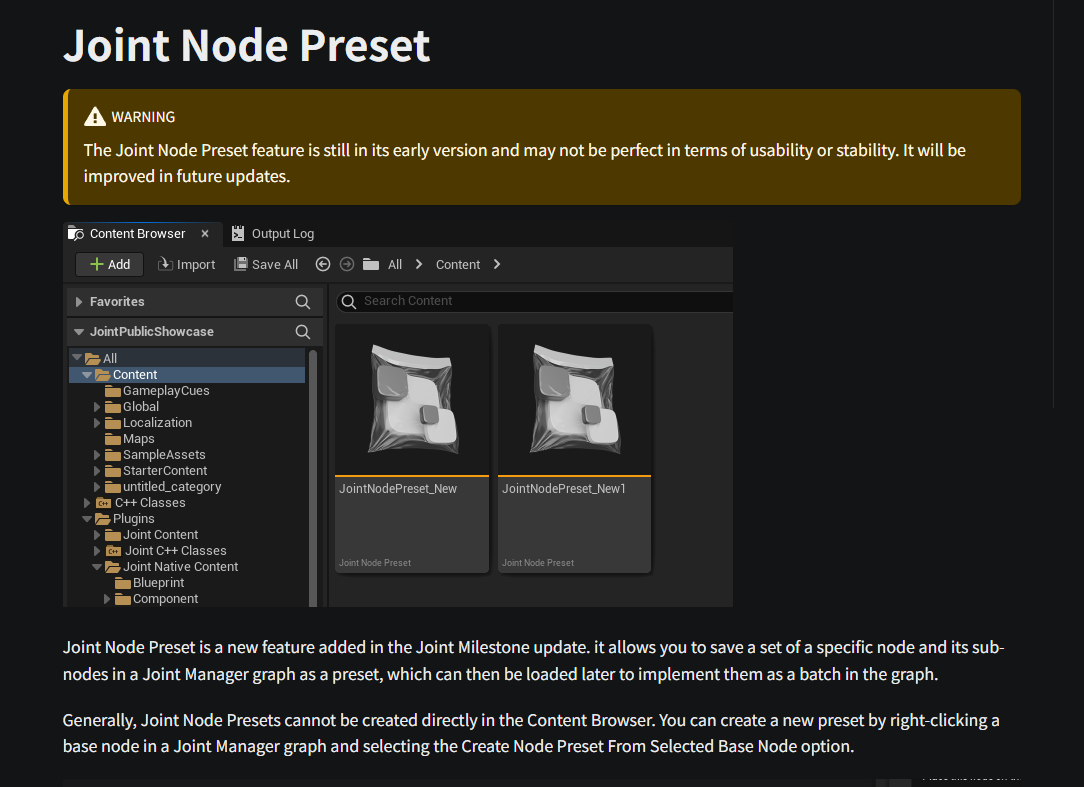
Joint Node Preset is a new feature added in the Joint Milestone update. It allows you to save a set of a specific node and its sub-nodes in a Joint Manager graph as a preset, which can then be loaded later to implement them as a batch in the graph.
You can find detailed descriptions and usage instructions for this feature at the link below:
https://jointplugin.com/docs/guide_docs/Joint/Fundamentals/Importing-External-Files-As-Joint-Manager :::
Quality of Life Improvements
Graph Thumbnail Support
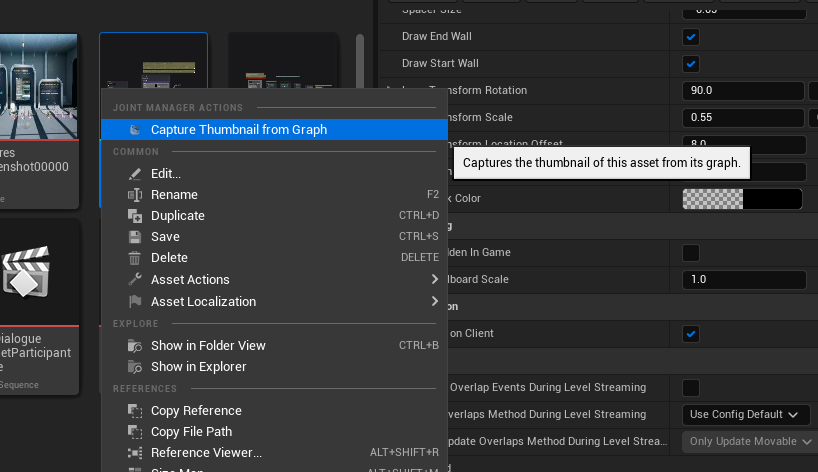
You can now set graph thumbnails for Joint Manager assets. Graph thumbnails serve as a visual representative image of the graph, helping you identify graphs more easily in the Asset Browser.
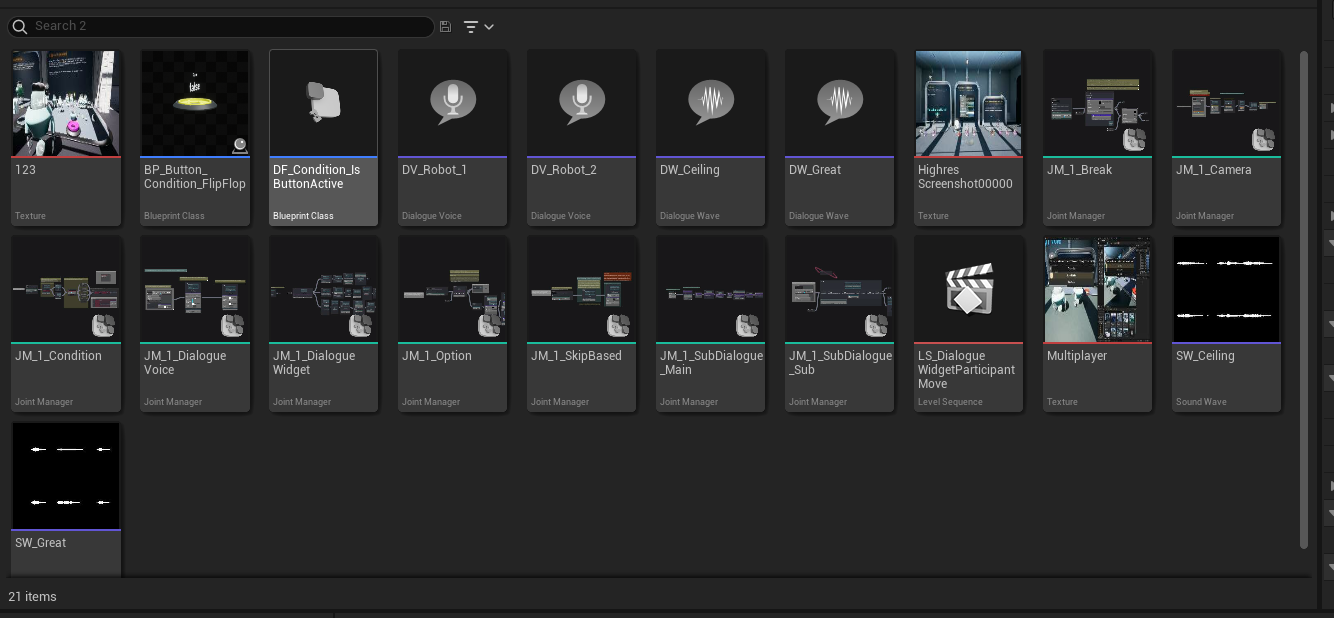
To generate a graph thumbnail, right-click a Joint Manager asset in the Content Browser and select the 'Capture Thumbnail from Graph' option. The current view in the graph viewport will be captured as a thumbnail and used as the representative image for that graph in the Asset Browser.
Markdown-style Admonition Support in Node Description Fields
You can now use markdown-style admonitions in the node description fields of the Joint Manager. Admonitions are styles used to visually distinguish and emphasize specific types of messages such as Info, Warning, or Tips.
It looks like this!
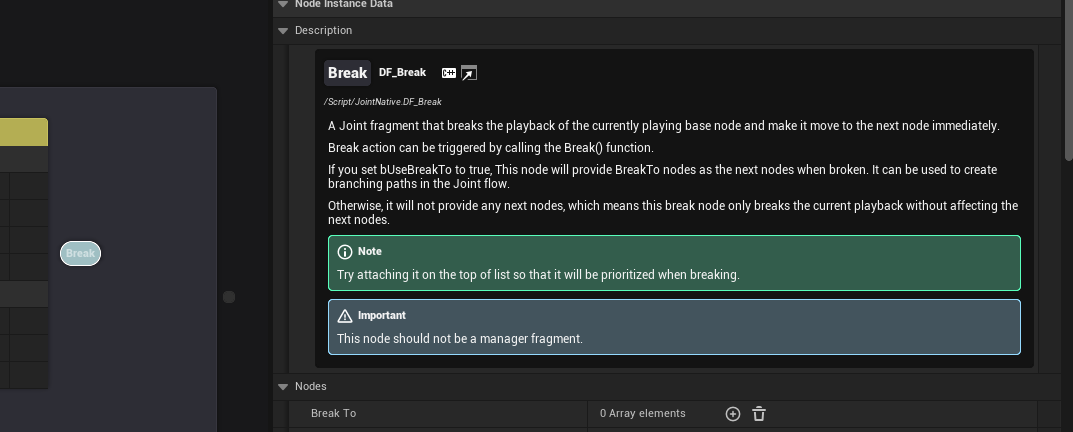
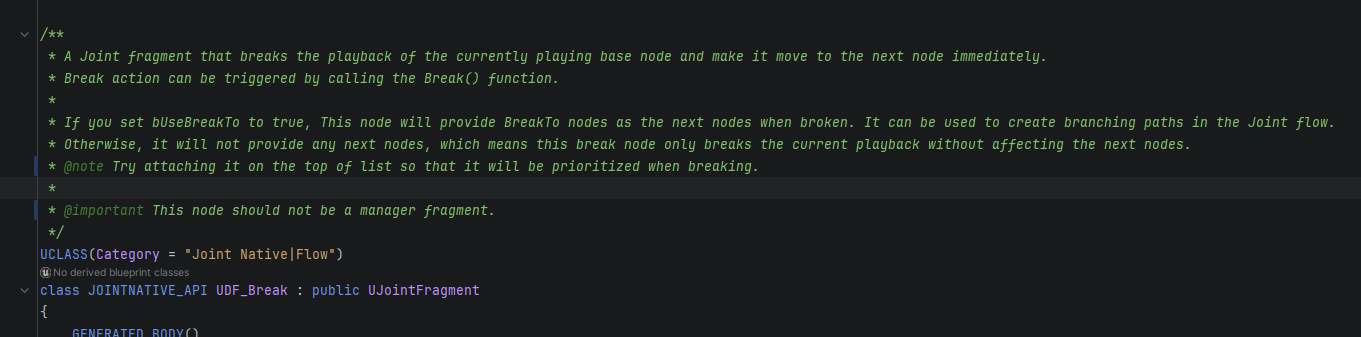
Descriptions written in Blueprints or C++ class comment blocks using tags like @note, @warning, or @tip will now be automatically rendered as markdown-style admonitions in the Joint Manager node description field. This makes node descriptions clearer and visually distinct, helping developers grasp important information quickly.
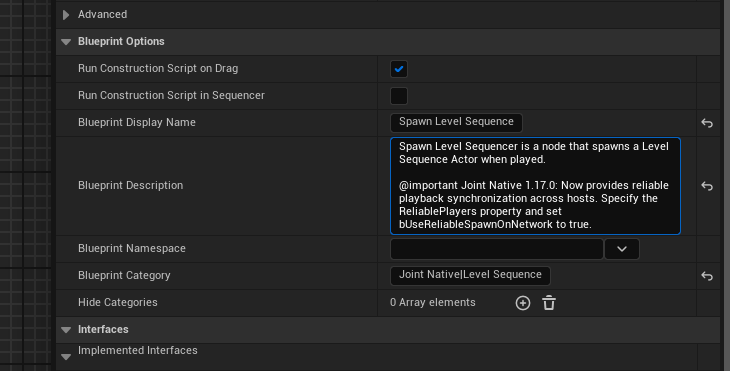
The supported admonition styles are as follows:
- info
- mention
- note
- warning
- caution
- error
- important
Visual Effects Displayed as Icons in Node Palette
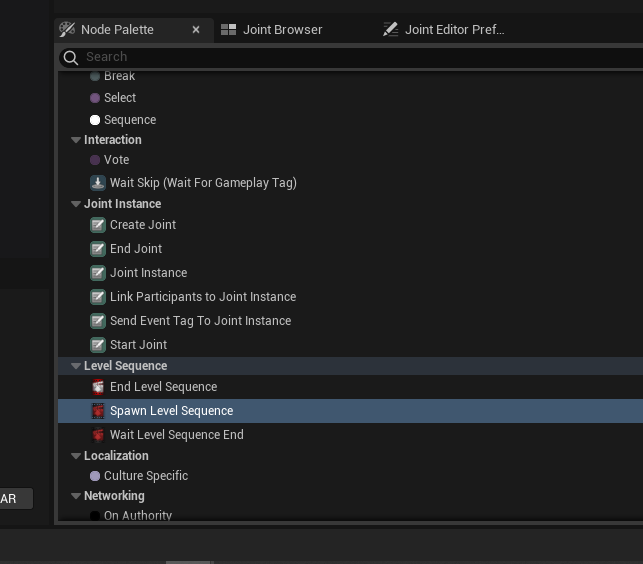
It is often difficult to identify exactly what a node does by name alone. To assist with this, node bodies and icons are now displayed as icons within the Palette entries. This allows you to grasp the visual effect of a node at a glance, enabling you to find the desired node faster.
Changes
The UJointEdGraphNode has been modified to hold multiple graph node slate references. Previously, only a single graph node slate reference existed, which caused issues when multiple graph panels shared the same reference. Now, each graph panel maintains its own independent graph node slate reference, allowing for independent management of graph node slates per panel.
The macros FOREACH_GRAPHNODESLATE_BASE_WITH and FOREACH_GRAPHNODESLATE_SUBNODE_WITH have been added to safely iterate through graph node slates even when multiple references exist.
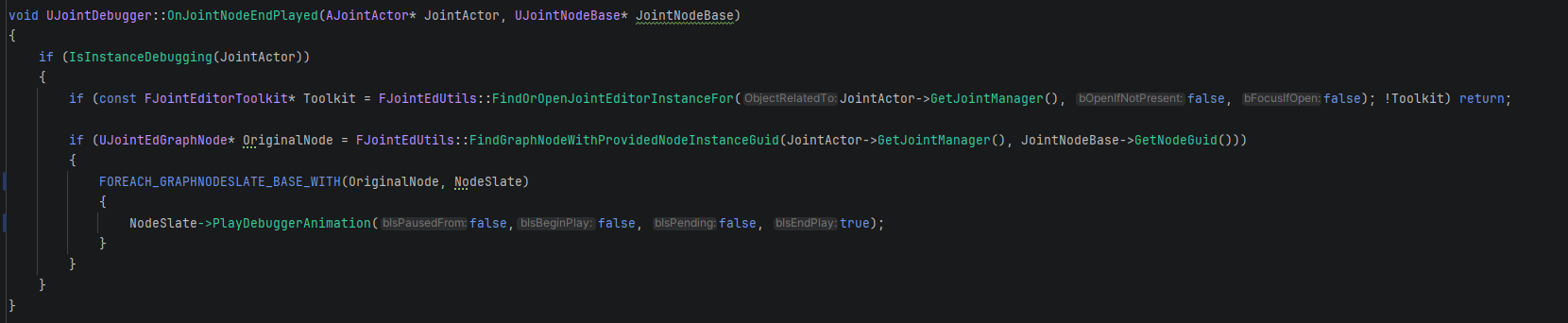
Please refer to the usage examples of FOREACH_GRAPHNODESLATE_BASE_WITH and FOREACH_GRAPHNODESLATE_SUBNODE_WITH within the project to ensure you write code that safely iterates through graph node slates in scenarios where multiple references are present.
Bug Fixes
Fixed an issue where unmanaged references in the graph node slate of the graph previewer occasionally caused assertions when closing the editor.